
Use store analytics
Review store performance, product demand and the customer conversion journey.
Access depends on your current plan, permissions and store configuration.
Before you start
Use a meaningful date range and check whether the store has recent traffic and orders.
Open the relevant dashboard screen ↗Steps
Open Analytics and choose the available period and comparison.
Review the sales and order summaries, product performance and customer metrics presented.
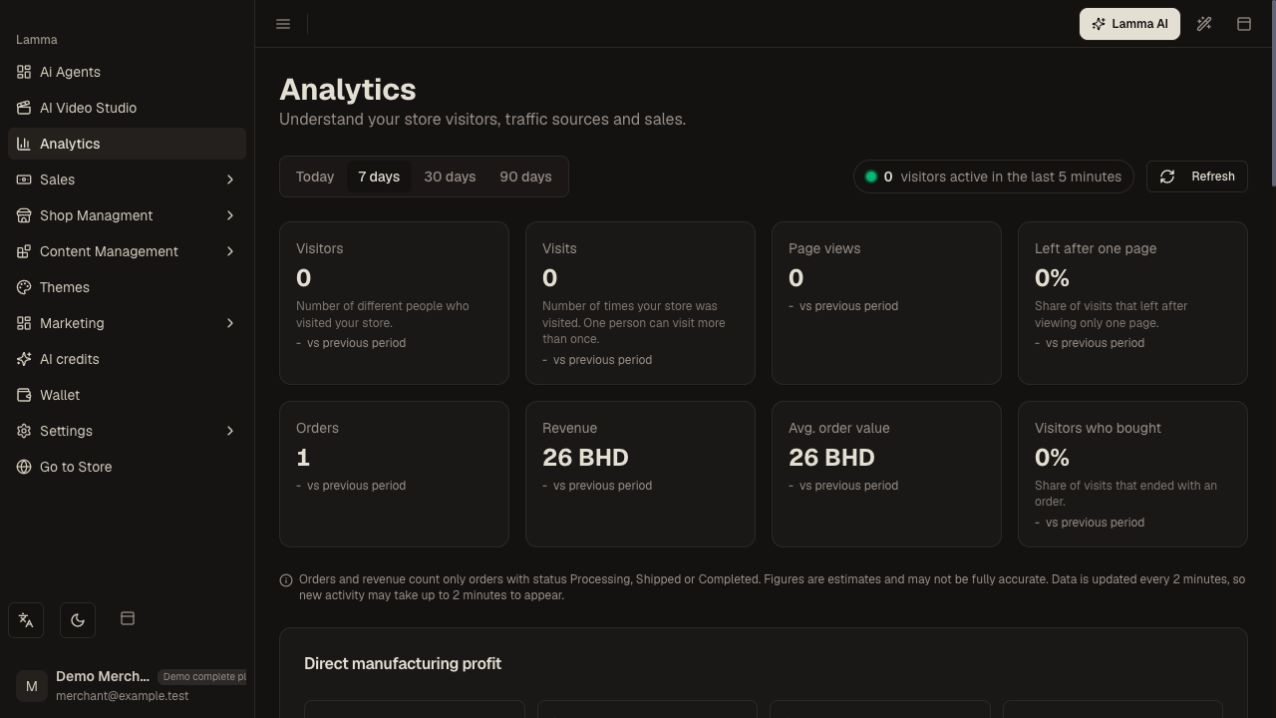
Step 2 — Choose the reporting period and review the visitor, order and revenue summaries with their comparisons.Demonstration store · sample data. Available features may differ by plan or rollout.View full-size screenshot ↗ Use the realtime view for current activity where offered.
Inspect funnel and traffic information without treating all visitors as buyers.
Open underlying orders or sales records when a total needs explanation.
If Direct Profit is available, read its cost coverage before interpreting the margin.
What to check afterward
You can identify trends and move from a summary metric to the relevant business record.
If something does not work
Analytics and gateway settlement reports measure different things. Missing cost data is not zero cost, and a short date window can hide orders near a timezone boundary.
Still need help? Contact Lamma support with your store, the affected record and the exact error. Keep passwords and API keys private.