
Understand the merchant mentor mobile pilot
See what the mobile mentor pilot covers and what is not yet generally verified.
Pilot/development status. No public download or app-store availability is claimed.
Before you start
The mobile mentor is a development/pilot app with an Arabic-only interface. It is not a documented public app-store release.
Steps
Ask support whether your account is included in an authorized pilot.
In an enabled build, sign in and complete the mentor name and avatar setup for your store.
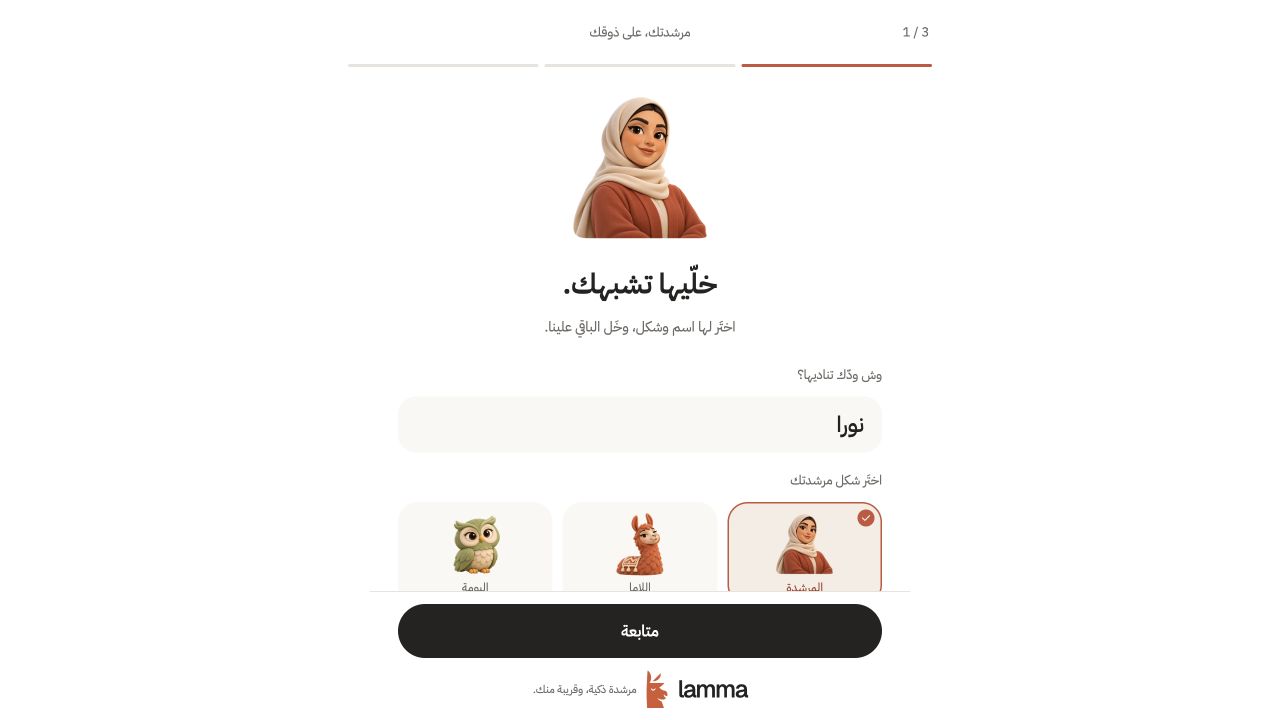
Step 2 — During first use of the authorized pilot, choose your mentor’s name and avatar. This genuine app preview is currently Arabic-only.Pilot app preview · sample data. This does not demonstrate native calls or background notifications.View full-size screenshot ↗ If your pilot provides a store brief, review its update time before relying on it.
Use typed conversation or call controls only when the build exposes a ready service.
Manage available preferences, quiet hours and saved follow-ups within the pilot.
Report device, app state and the failed action if a call or notification does not behave as expected.
What to check afterward
Pilot users can evaluate the features actually enabled in their installed build.
If something does not work
Web previews and simulator calls do not establish physical-device background calling or push reliability. Ask support which devices, calls and notifications are enabled in your pilot build.
Still need help? Contact Lamma support with your store, the affected record and the exact error. Keep passwords and API keys private.