
Create a coupon code
Offer a controlled discount code with clear eligibility and usage rules.
Access depends on your current plan, permissions and store configuration.
Before you start
Check coupon access on your plan and decide the offer limits.
Open the relevant dashboard screen ↗Steps
Create a coupon and enter its code and discount configuration.
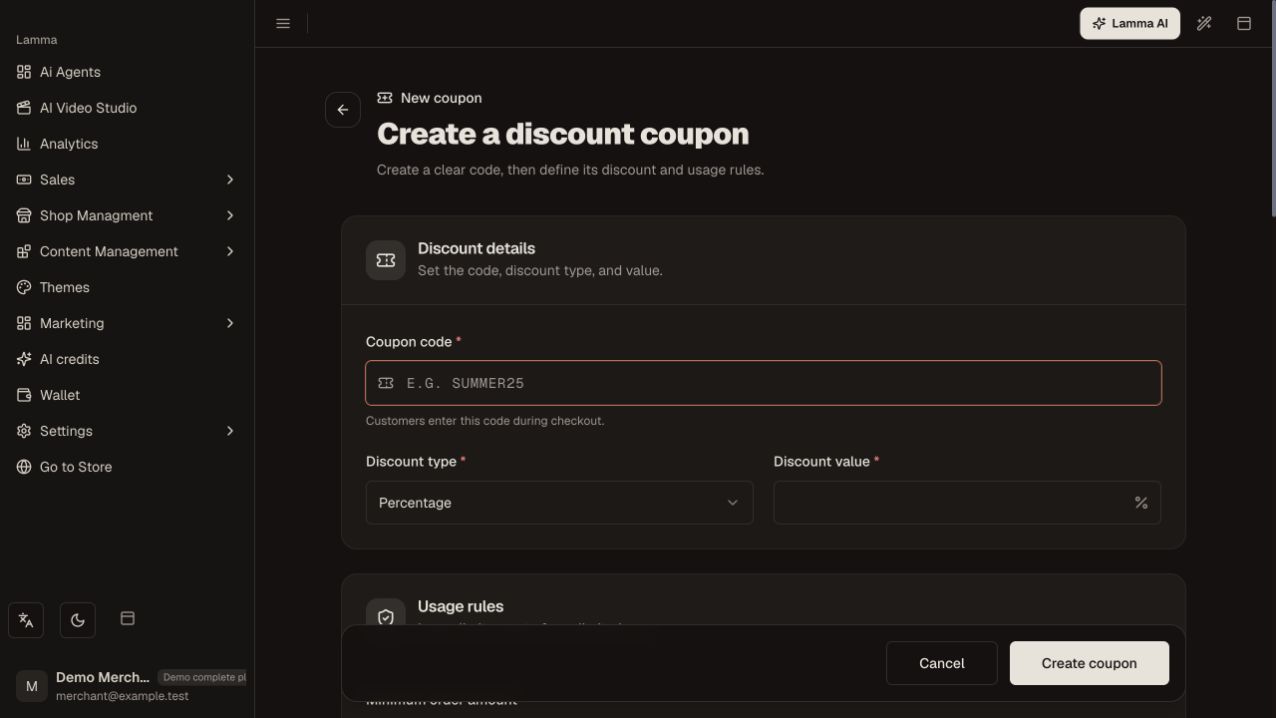
Step 1 — Enter the coupon code and choose its discount type and value before configuring the usage rules.Demonstration store · sample data. Available features may differ by plan or rollout.View full-size screenshot ↗ Set the minimum order amount, validity dates and total/per-customer usage limits as needed.
Select category restrictions where offered.
Review whether the coupon can work with product discounts and special offers, including its sale-product policy.
Save it as active when ready.
Test an eligible cart and an ineligible cart, then check the discount shown at checkout.
What to check afterward
Customers can redeem the code only when the saved conditions are satisfied.
If something does not work
If a code is refused, check dates, limits, cart minimum, category eligibility and stacking settings. A displayed promotion should match the actual coupon conditions.
Still need help? Contact Lamma support with your store, the affected record and the exact error. Keep passwords and API keys private.