
Create automatic offers and discounts
Configure supported promotions that apply when a cart meets their conditions.
Access depends on your current plan, permissions and store configuration.
Before you start
Confirm special-offer access and decide how the offer should combine with other discounts.
Open the relevant dashboard screen ↗Steps
Create a rule and choose an offered type: Buy X Get Y, category discount, bundle, spend-and-get, cart discount or a free-shipping offer.
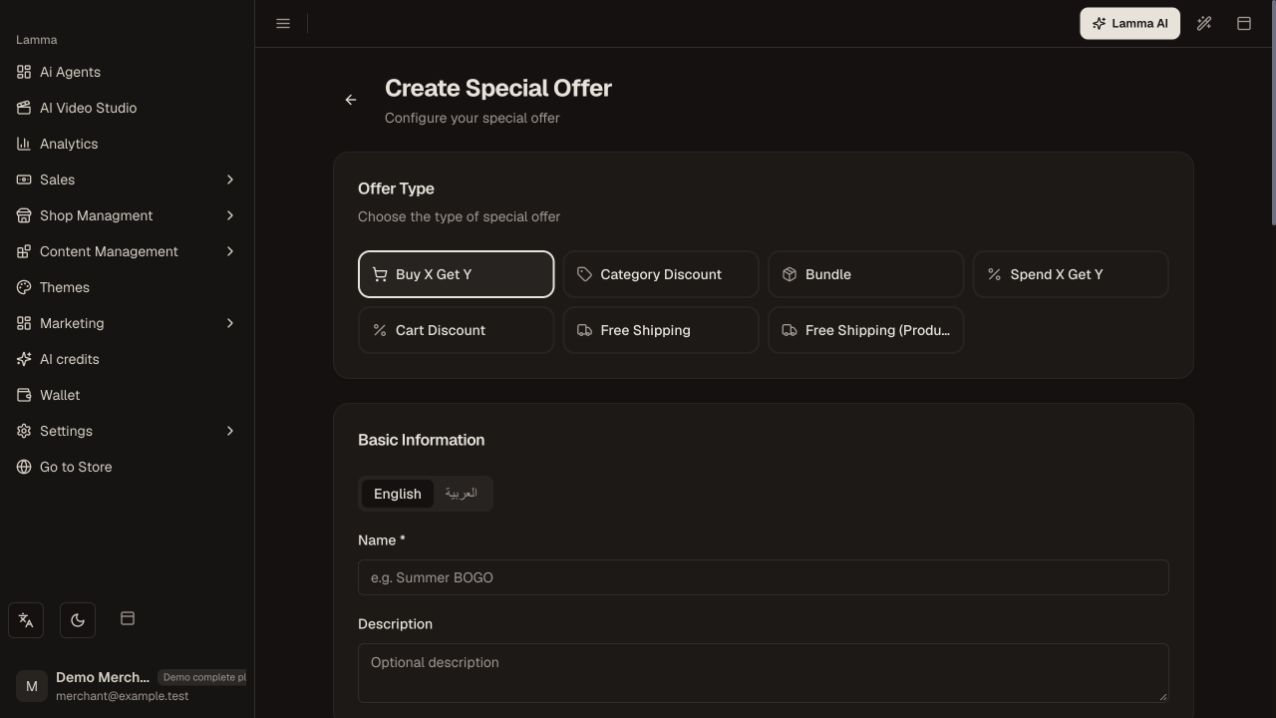
Step 1 — Choose the special-offer type and enter its name before configuring qualifying products and conditions.Demonstration store · sample data. Available features may differ by plan or rollout.View full-size screenshot ↗ Select the qualifying products, categories or variants and any reward items.
Enter quantities, discount values and the applicable conditions.
Review dates, usage limits, priority and stacking.
Save and activate, then test carts immediately below and at the qualifying threshold.
Confirm both the item discount and shipping result.
What to check afterward
Qualifying carts receive the intended offer without requiring an unintended extra discount.
If something does not work
Multiple active rules and coupons can interact. Check priority and stacking, and do not promise an offer type that is not selectable in your dashboard.
Still need help? Contact Lamma support with your store, the affected record and the exact error. Keep passwords and API keys private.