
Configure checkout and delivery choices
Choose the checkout flow, order rules and customer information you collect.
Access depends on your current plan, permissions and store configuration.
Before you start
Configure at least one suitable payment and fulfillment method.
Open the relevant dashboard screen ↗Steps
Open Store Settings → Checkout & delivery.
Choose Single page or Three steps according to the options shown.
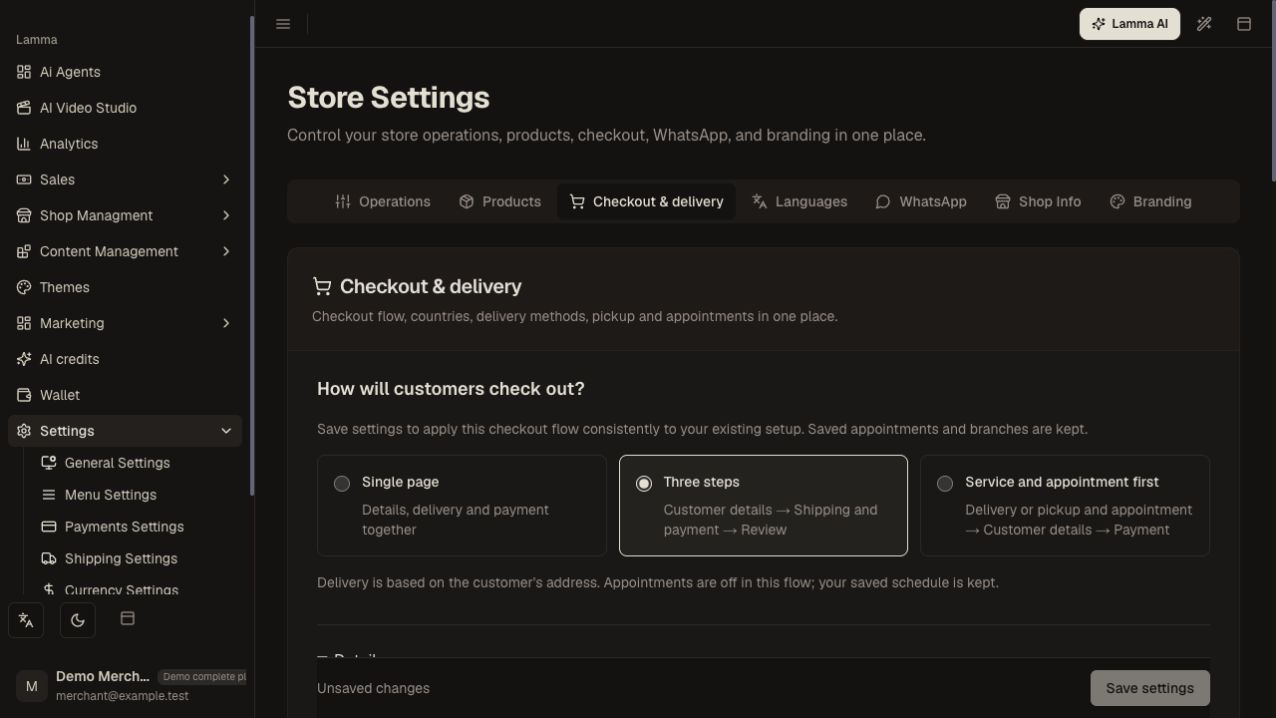
Step 2 — Select the checkout flow offered for your store before saving the settings.Demonstration store · sample data. Available features may differ by plan or rollout.View full-size screenshot ↗ Review allowed countries, order limits, fees and required checkout fields.
Configure delivery, pickup and appointment options in the same workspace.
Save and check for errors; if only some settings were saved, reload before continuing.
Test a real product with a covered and an uncovered destination, then verify the chosen method and total in the order.
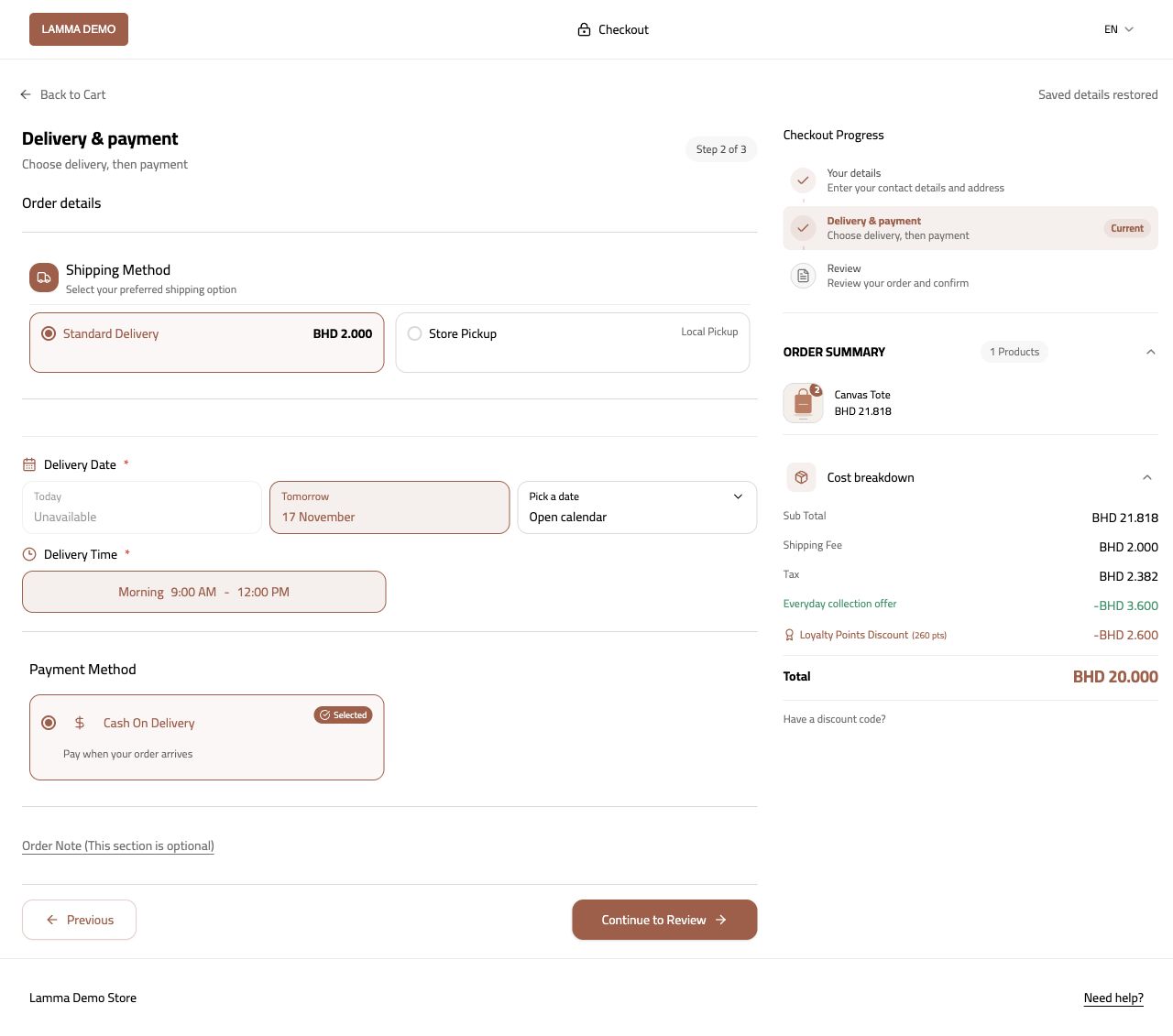
Step 6 — Test the saved checkout with a real demo product and verify the offered method and total.Demonstration store · sample data. Available features may differ by plan or rollout.View full-size screenshot ↗
What to check afterward
Customers see the configured checkout journey and eligible payment/delivery options.
If something does not work
A country must satisfy both checkout rules and shipping coverage. When no method appears, check the address, cart, method enablement, minimums and product delivery restrictions.
Still need help? Contact Lamma support with your store, the affected record and the exact error. Keep passwords and API keys private.