
Connect a custom store domain
Use the domain setup controls and verify ownership before routing customers.
Access depends on your current plan, permissions and store configuration.
Before you start
Have access to your domain DNS. Custom-domain provisioning may require Lamma support; a domain settings heading alone is not a working setup form.
Steps
Contact Lamma support with the domain you own and the store it should open.
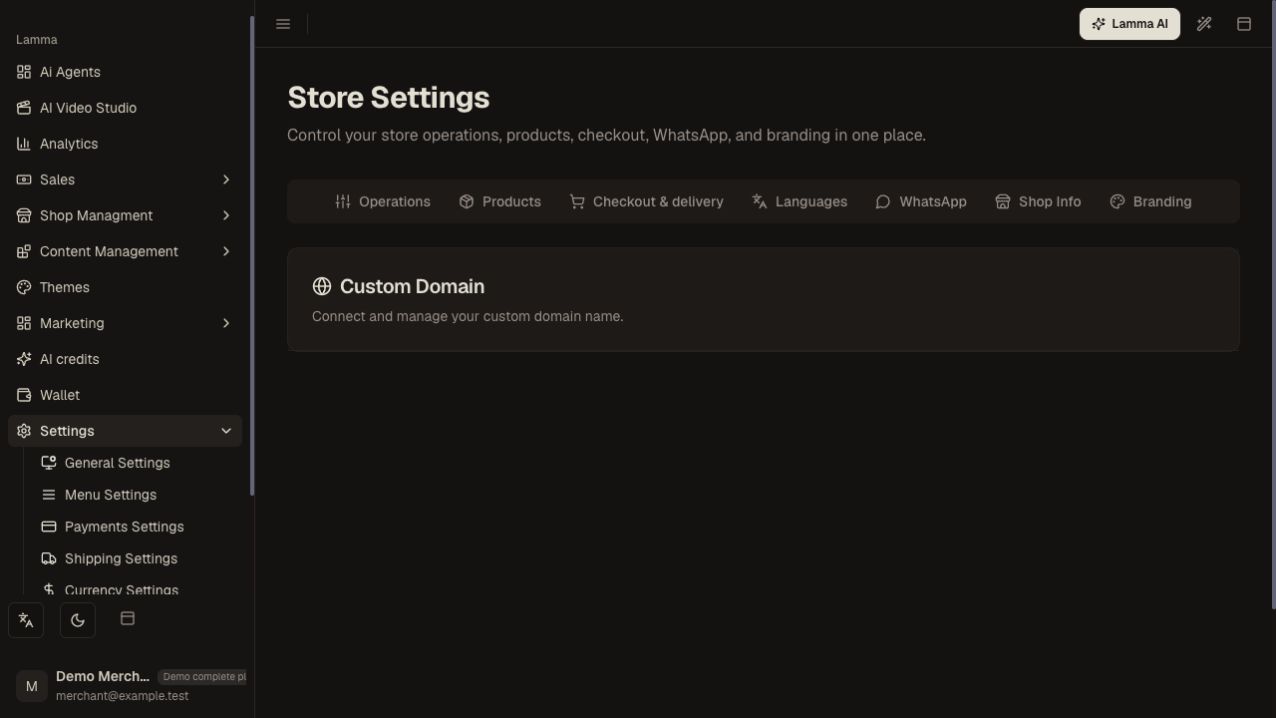
Step 1 — Domain setup is support-managed: contact Lamma with the domain you own; this information panel has no DNS setup form.Demonstration store · sample data. Available features may differ by plan or rollout.View full-size screenshot ↗ Obtain the exact DNS records and verification steps for your store.
Add those records at your DNS provider; preserve unrelated email records.
Follow the supplied ownership-verification process after propagation.
Wait for ownership and HTTPS readiness before promoting the domain.
Open the domain in a new browser session and test a product and checkout.
What to check afterward
A verified domain reaches the intended store over HTTPS.
If something does not work
DNS record changes can take time to propagate. Do not copy an IP or record from another merchant. If the screen does not expose domain controls, contact support rather than guessing DNS values.
Still need help? Contact Lamma support with your store, the affected record and the exact error. Keep passwords and API keys private.