
Review your subscription and feature access
See the current plan, billing state and upgrade choices available to your store.
Access depends on your current plan, permissions and store configuration.
Before you start
Review the current dashboard prices and conditions rather than an old screenshot or seeded value.
Open the relevant dashboard screen ↗Steps
Open Plans and inspect the plan list and your current subscription details.
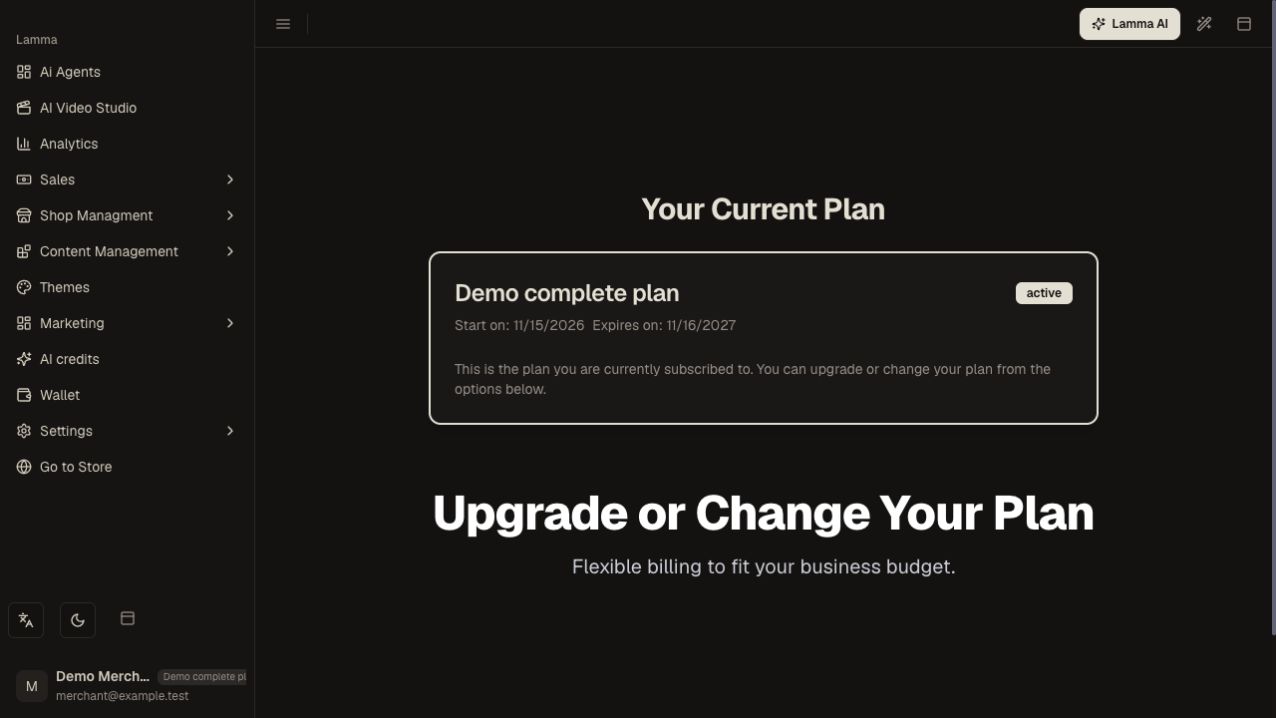
Step 1 — Review your current plan name, active status and subscription dates before considering an upgrade.Demonstration store · sample data. Available features may differ by plan or rollout.View full-size screenshot ↗ Compare the included features you need, such as languages, currencies, options, coupons or scripts.
Review the billing interval, amount and terms shown before starting a subscription checkout.
Complete the provider flow and return to Lamma.
Refresh the subscription details to confirm successful activation and feature access.
What to check afterward
The dashboard displays the subscription state and its corresponding entitlements.
If something does not work
A payment redirect alone does not prove the subscription is active. If access remains blocked, record the payment reference and contact support; do not repeatedly purchase the same plan.
Still need help? Contact Lamma support with your store, the affected record and the exact error. Keep passwords and API keys private.