
Review back-in-stock requests
Understand how shoppers request a notification for an unavailable product.
Access depends on your current plan, permissions and store configuration.
Before you start
Open an existing product that uses stock tracking.
Open the relevant dashboard screen ↗Steps
Review the product stock and the out-of-stock display settings.
Open the unavailable product on the storefront and check whether the restock request control is offered.
Review its Restock Notifications section in the product editor.
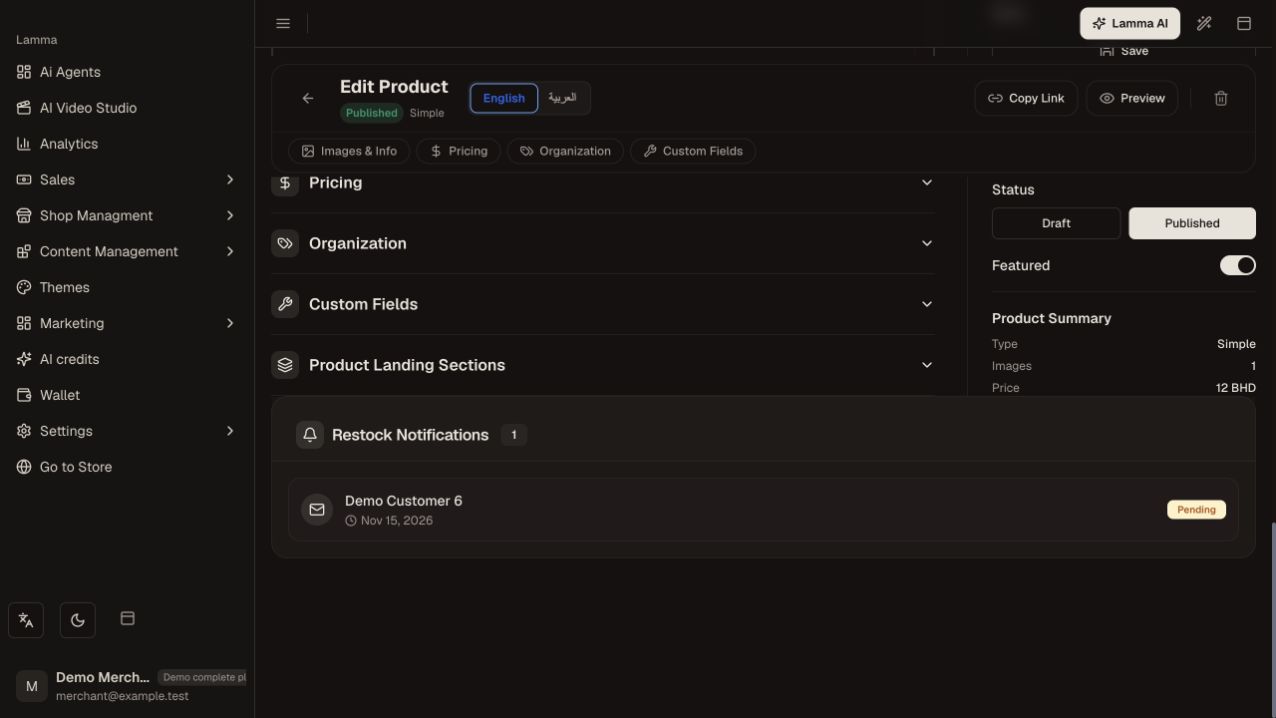
Step 3 — Review the product’s Restock Notifications list and its request statuses; a Pending request has not been marked as notified.Demonstration store · sample data. Available features may differ by plan or rollout.View full-size screenshot ↗ Keep stock accurate when an item becomes available again.
Confirm the notification outcome through the available status or support tools before assuming every subscriber has been contacted.
What to check afterward
You can see requests associated with the product and distinguish demand from an actual order.
If something does not work
A restock request does not reserve inventory or create a sale. If the request control is absent, check stock state, settings and the current theme support.
Still need help? Contact Lamma support with your store, the affected record and the exact error. Keep passwords and API keys private.