
Moderate product reviews and testimonials
Review submitted feedback and manage the content shown to shoppers.
Access depends on your current plan, permissions and store configuration.
Before you start
Check that customer reviews are available on your plan and enabled in product settings.
Open the relevant dashboard screen ↗Steps
Open Reviews and inspect the review and its associated product/customer.
Approve or reject submitted feedback with the offered moderation actions.
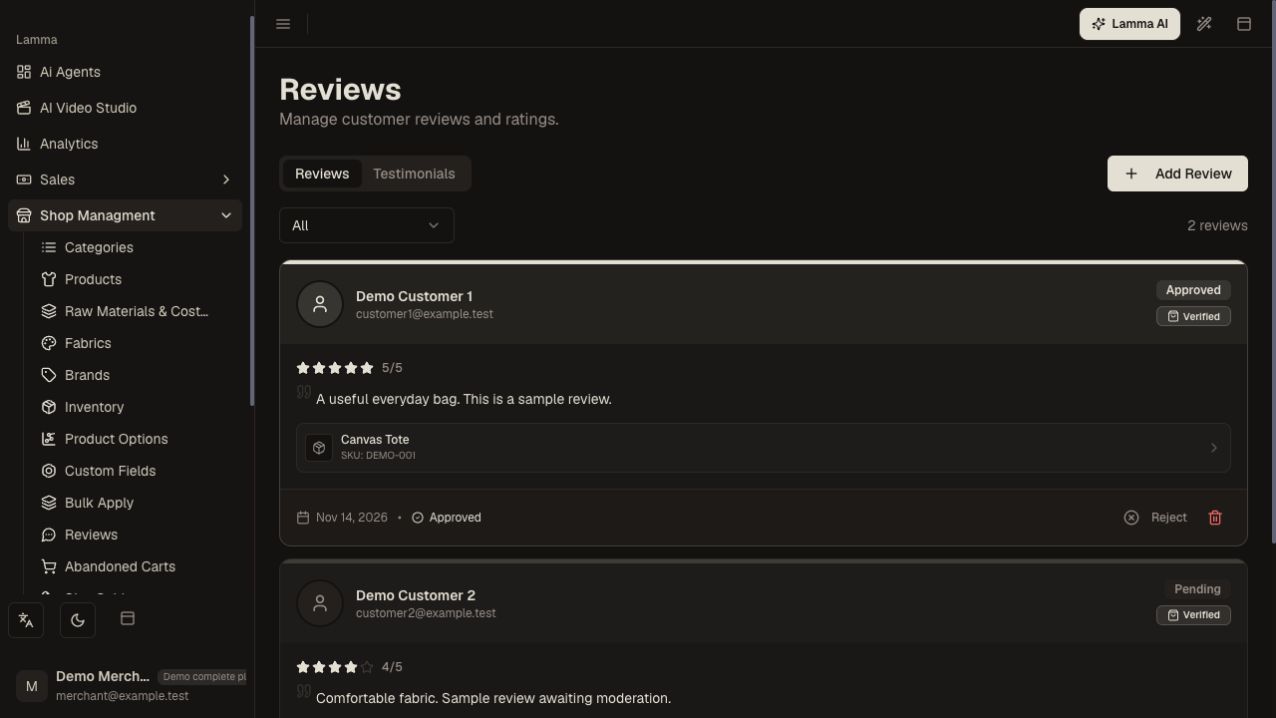
Step 2 — Read the review and linked product before choosing the available moderation action.Demonstration store · sample data. Available features may differ by plan or rollout.View full-size screenshot ↗ Correct an entry only when the change accurately reflects the original feedback.
Use the import or create controls for authentic existing reviews where available.
Manage testimonials and their ordering separately if the screen offers them.
Check the product or testimonial section on the storefront.
What to check afterward
Approved feedback appears in the supported storefront review location.
If something does not work
If an approved review is missing, check store review settings, the product assignment and theme display. Do not create invented customer feedback to fill a section.
Still need help? Contact Lamma support with your store, the affected record and the exact error. Keep passwords and API keys private.