
Add and publish a product
Create a product with the price, stock and information customers need to buy.
Access depends on your current plan, permissions and store configuration.
Before you start
Prepare the product name, selling price, photos and stock information.
Open the relevant dashboard screen ↗Steps
Open Products and choose the add-product action. Select the product type that matches what you sell.
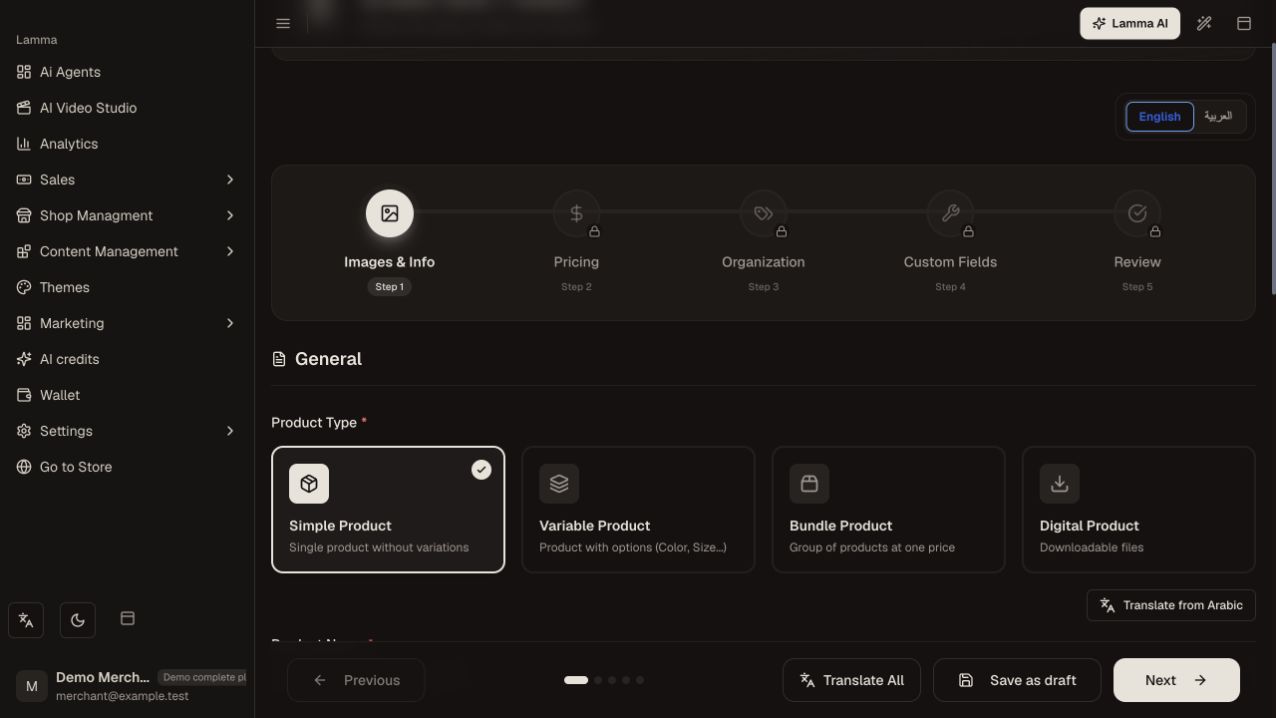
Step 1 — Choose the product type that matches what you sell, then continue through the product setup steps.Demonstration store · sample data. Available features may differ by plan or rollout.View full-size screenshot ↗ Enter the name, SKU, short description and description in the languages enabled for your store.
Add a category, price, images and stock settings. Include weight and other shipping information for physical goods.
Add options, custom fields, size guide or fabrics when needed; verify any additional prices.
Save as a draft while reviewing. Publish when the product information is ready.
Open the product on the storefront and verify selection, displayed price and add-to-cart behavior.
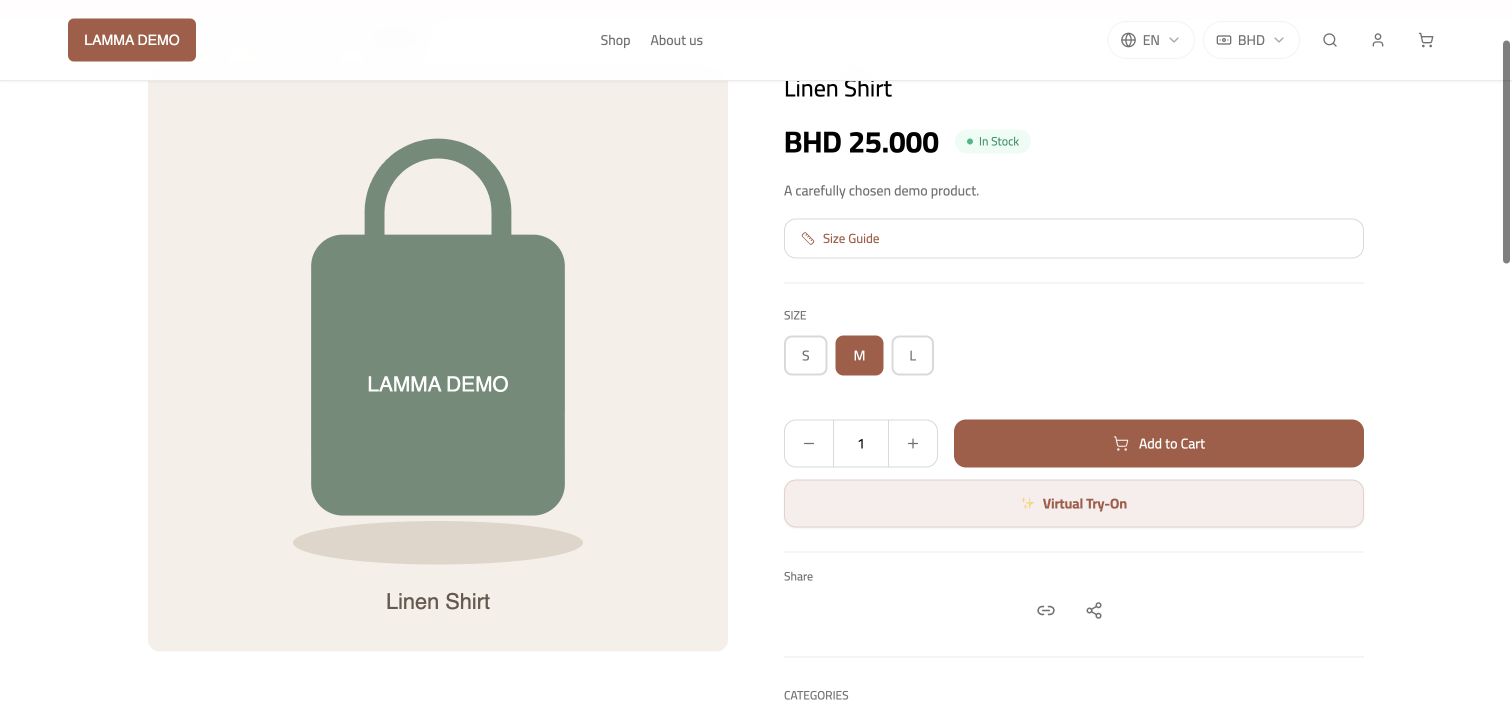
Step 6 — Open the published product and check its price, options and add-to-cart control.Demonstration store · sample data. Available features may differ by plan or rollout.View full-size screenshot ↗
What to check afterward
A published, available product can be opened and purchased through your storefront.
If something does not work
If a product is missing, check its publication status, stock, category and storefront filters. For an ERP-linked product, some fields are managed by the integration.
Still need help? Contact Lamma support with your store, the affected record and the exact error. Keep passwords and API keys private.