
Create and attach size guides
Show measurements and give customers a reference when choosing a size.
Access depends on your current plan, permissions and store configuration.
Before you start
Prepare accurate measurements and specify their units.
Open the relevant dashboard screen ↗Steps
Open Size Guides and create a guide using the table or fields provided.
Enter clear measurement names, sizes and units.
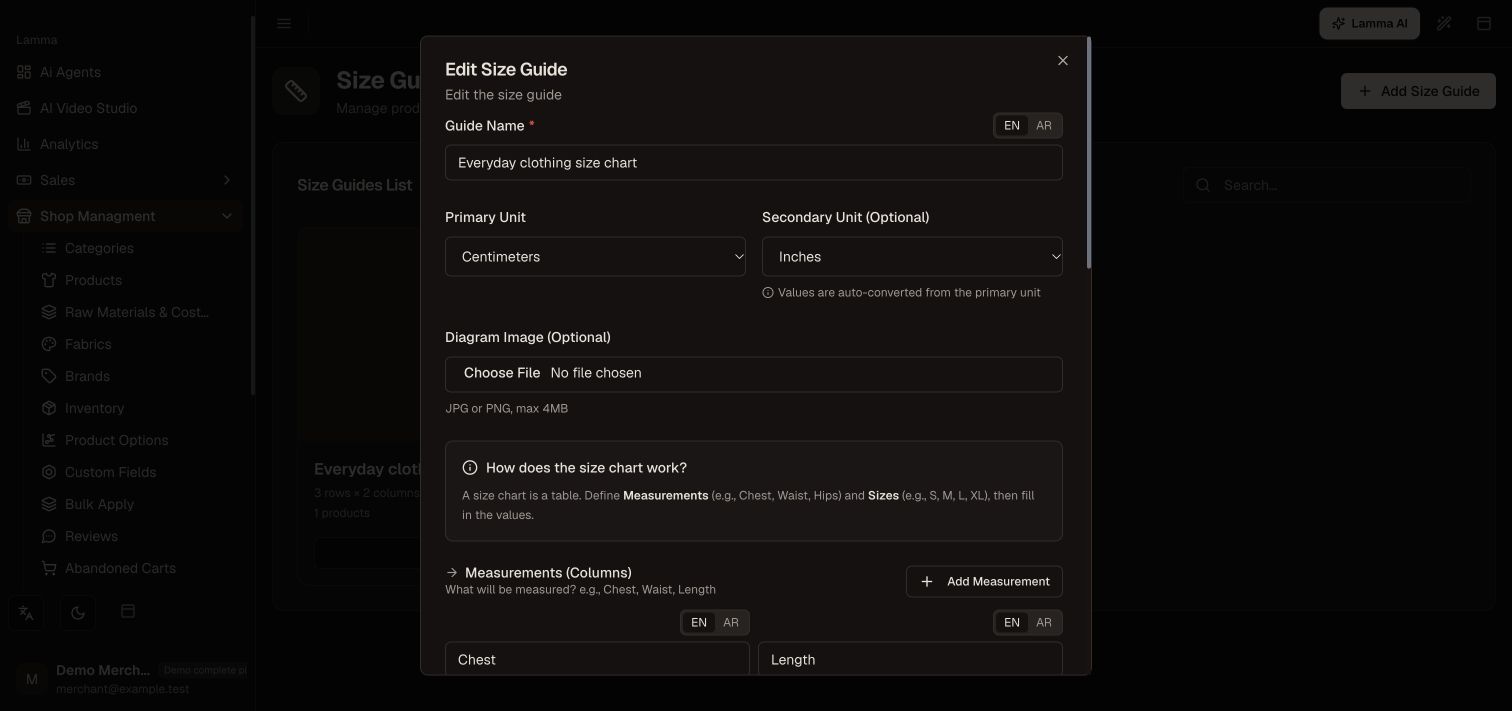
Step 2 — Set the guide’s primary and optional secondary units, then define clear measurement-column names.Demonstration store · sample data. Available features may differ by plan or rollout.View full-size screenshot ↗ Save the guide and attach it to the relevant products in their size-guide section.
Open those products on desktop and mobile.
Check that the guide is readable and corresponds to the options being sold.
What to check afterward
Customers can consult the correct size information from the product page.
If something does not work
A size guide explains measurements; it does not create stock variants. If sizes cannot be selected, configure product options as well.
Still need help? Contact Lamma support with your store, the affected record and the exact error. Keep passwords and API keys private.