
Understand the shopper account experience
Help customers with storefront sign-in, profiles, orders and wishlists.
Access depends on your current plan, permissions and store configuration.
Before you start
Storefront customer accounts are separate from merchant dashboard accounts.
Steps
Open your storefront login screen and inspect the sign-in methods offered.
Customers can use the available password, email magic-link or Google flow when configured.
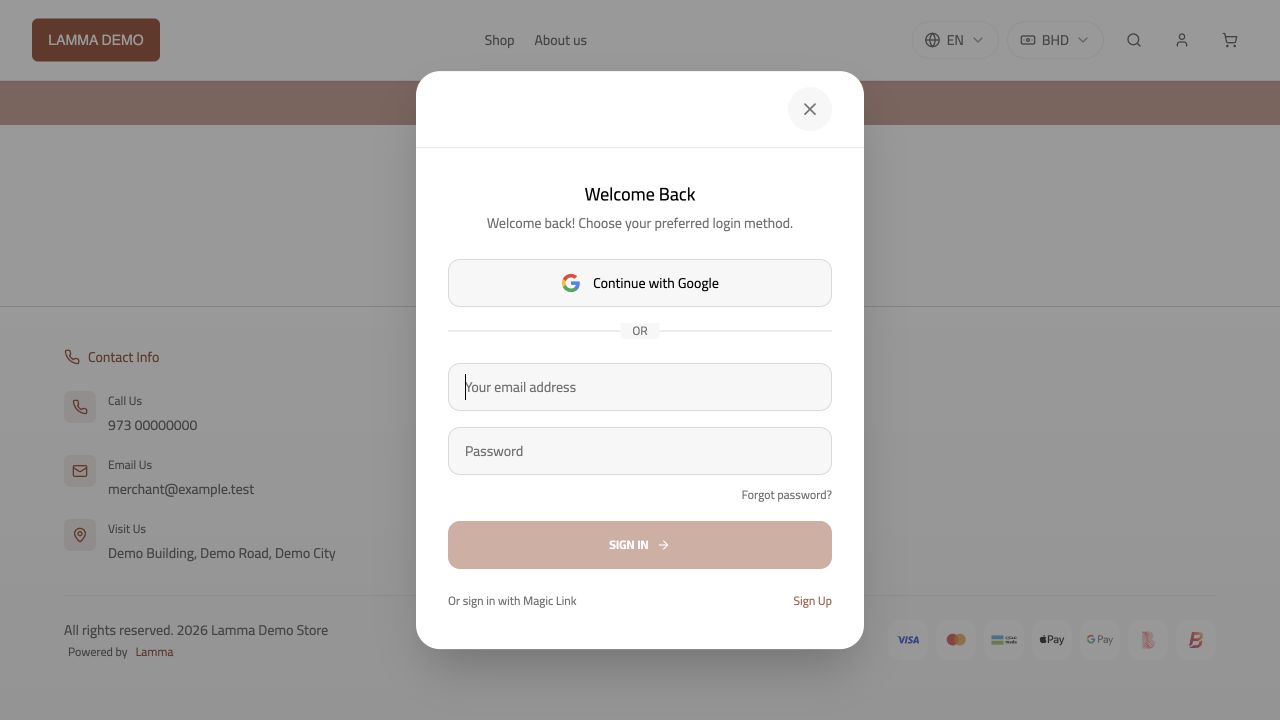
Step 2 — Check the storefront sign-in methods available to shoppers; these are separate from merchant sign-in.Demonstration store · sample data. Available features may differ by plan or rollout.View full-size screenshot ↗ Signed-in customers can open their profile and order history.
Check the wishlist and newsletter controls offered by the storefront.
For apparel, review the available saved size-profile experience.
Use the storefront password-reset flow for a shopper who cannot sign in.
What to check afterward
You can guide customers through the account actions supported by your store.
If something does not work
A magic link or password reset belongs to the email and store used in the request. Never ask customers to share their password or sign-in link with you.
Still need help? Contact Lamma support with your store, the affected record and the exact error. Keep passwords and API keys private.