
Check advertising conversion measurement
Distinguish event delivery, customer consent and ad-attributed results.
Access depends on your current plan, permissions and store configuration.
Before you start
Connect an eligible ad account and obtain its Pixel ID and separate Conversions API key.
Open the relevant dashboard screen ↗Steps
Open Lamma Ads → Conversion tracking and enter the existing Pixel ID and Conversions key.
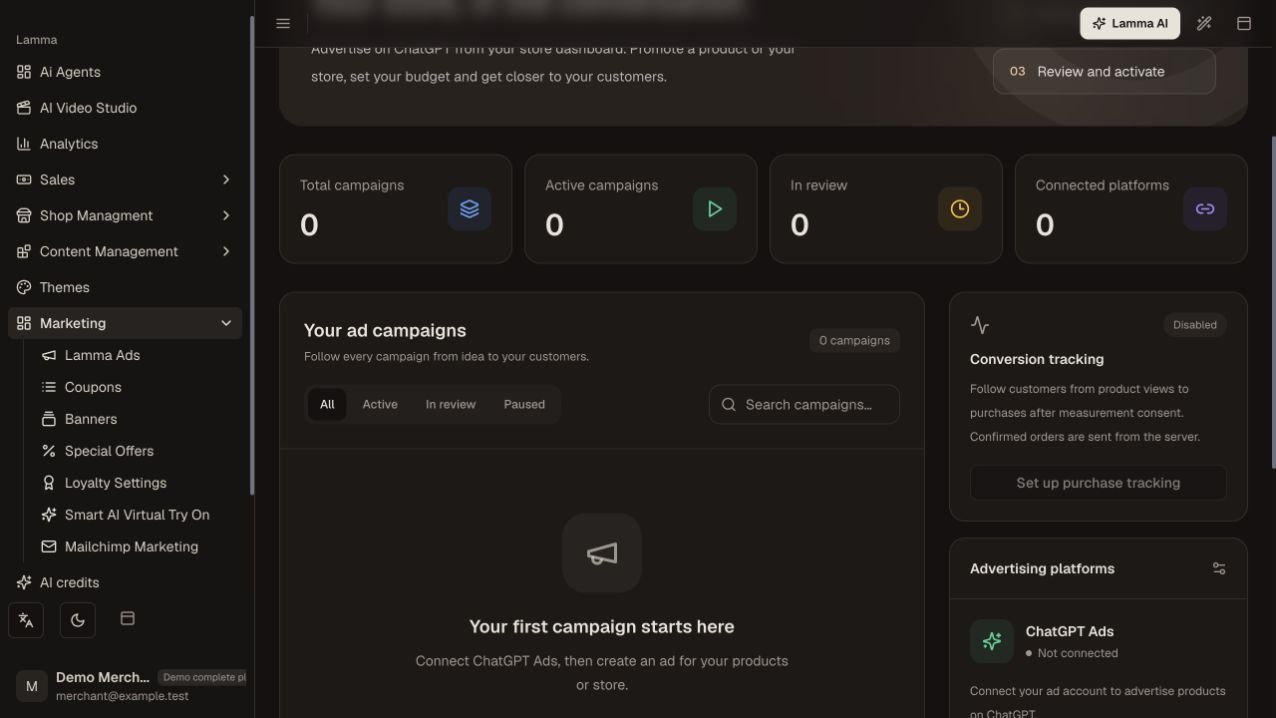
Step 1 — Check the Conversion tracking status; setup is disabled in this demo until the advertising account is connected.Demonstration store · sample data. Available features may differ by plan or rollout.View full-size screenshot ↗ Verify and save the configuration.
On the storefront, allow measurement and follow the product-view, add-to-cart, checkout and confirmed-order journey.
Use Check received events for diagnostic event receipt.
Inspect server purchase delivery status separately from campaign Conversion results.
Allow for provider processing before comparing attributed sales.
What to check afterward
You can identify whether an event was received and whether the provider attributed it to an ad.
If something does not work
An unpaid online checkout is not a confirmed purchase event. Sent/pending/failed counters are delivery diagnostics, not attributed sales. Unconsented orders and historic orders are not automatically backfilled.
Still need help? Contact Lamma support with your store, the affected record and the exact error. Keep passwords and API keys private.