
Create your store
Register, enter your business details and prepare your first store.
Access depends on your current plan, permissions and store configuration.
Before you start
Prepare your business name, contact details, logo and product information.
Open the relevant dashboard screen ↗Steps
Open the registration screen and complete the account and verification steps shown.
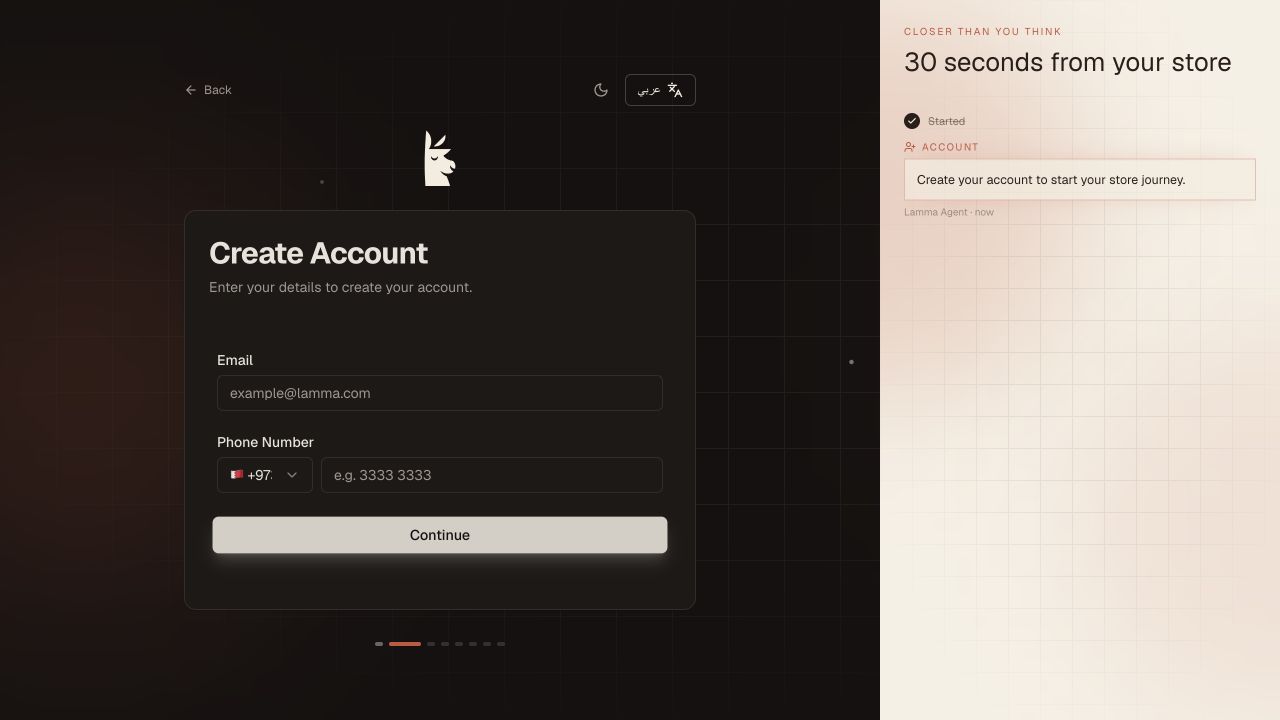
Step 1 — Complete the registration fields and continue to the verification step shown.Demonstration store · sample data. Available features may differ by plan or rollout.View full-size screenshot ↗ Follow the store setup flow and choose your store language. If you use the Instagram option, review its proposed products and branding.
Confirm your store details and open the dashboard.
Add or review products, configure payments and delivery, and check your subscription.
Complete the launch checklist before sending customers to your store.
What to check afterward
Your account has a store workspace and you can continue setup from the dashboard.
If something does not work
If verification fails, check the email address and request a fresh code through the screen. An imported draft still needs prices, stock, payments and delivery reviewed.
Still need help? Contact Lamma support with your store, the affected record and the exact error. Keep passwords and API keys private.