
Import products from Instagram
Review Instagram content as proposed products before adding it to your catalog.
Access depends on your current plan, permissions and store configuration.
Before you start
Use a business profile whose content you are authorized to import and check the credit information displayed.
Open the relevant dashboard screen ↗Steps
Open Import from Instagram or use the Instagram option during registration.
Enter the supported profile link and load its available feed.
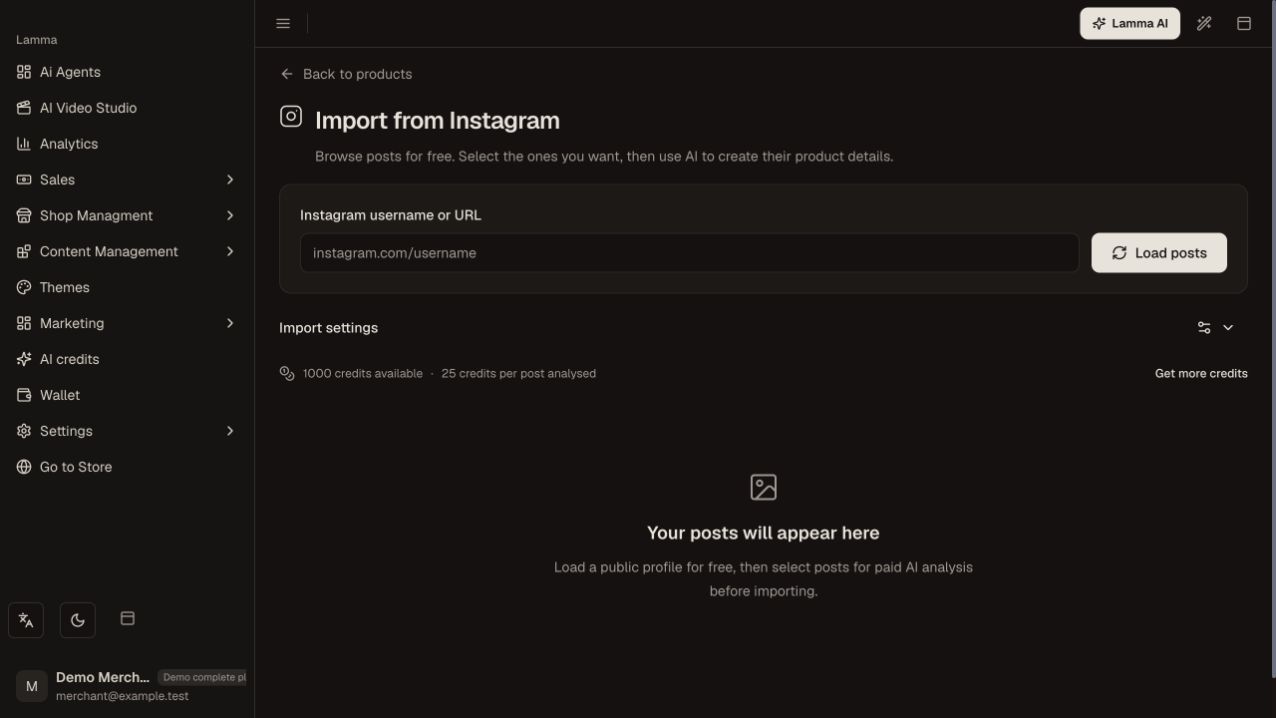
Step 2 — Enter the public Instagram username or profile URL and use Load posts before selecting posts for analysis.Demonstration store · sample data. Available features may differ by plan or rollout.View full-size screenshot ↗ Select and analyze the intended posts; distinguish products from lifestyle or promotional content.
Review proposed names, descriptions, images, prices and categories.
Start the import once and monitor its progress; use the saved workspace/resume flow where offered.
Open imported products and correct stock, options and delivery details before publishing.
What to check afterward
Reviewed posts become catalog items that you can edit and prepare for sale.
If something does not work
Instagram availability and access restrictions can prevent a feed from loading. Importing photos does not establish a selling price or accurate stock. Check an existing running import before starting another.
Still need help? Contact Lamma support with your store, the affected record and the exact error. Keep passwords and API keys private.