
Manage storefront currencies
Set the main currency and control additional customer currency choices.
Access depends on your current plan, permissions and store configuration.
Before you start
Check your plan entitlement and the payment providers you use.
Open the relevant dashboard screen ↗Steps
Open Currency Settings and confirm the main store currency.
Enable additional currencies only when supported by your plan and configuration.
Review the rate or conversion settings shown and save.
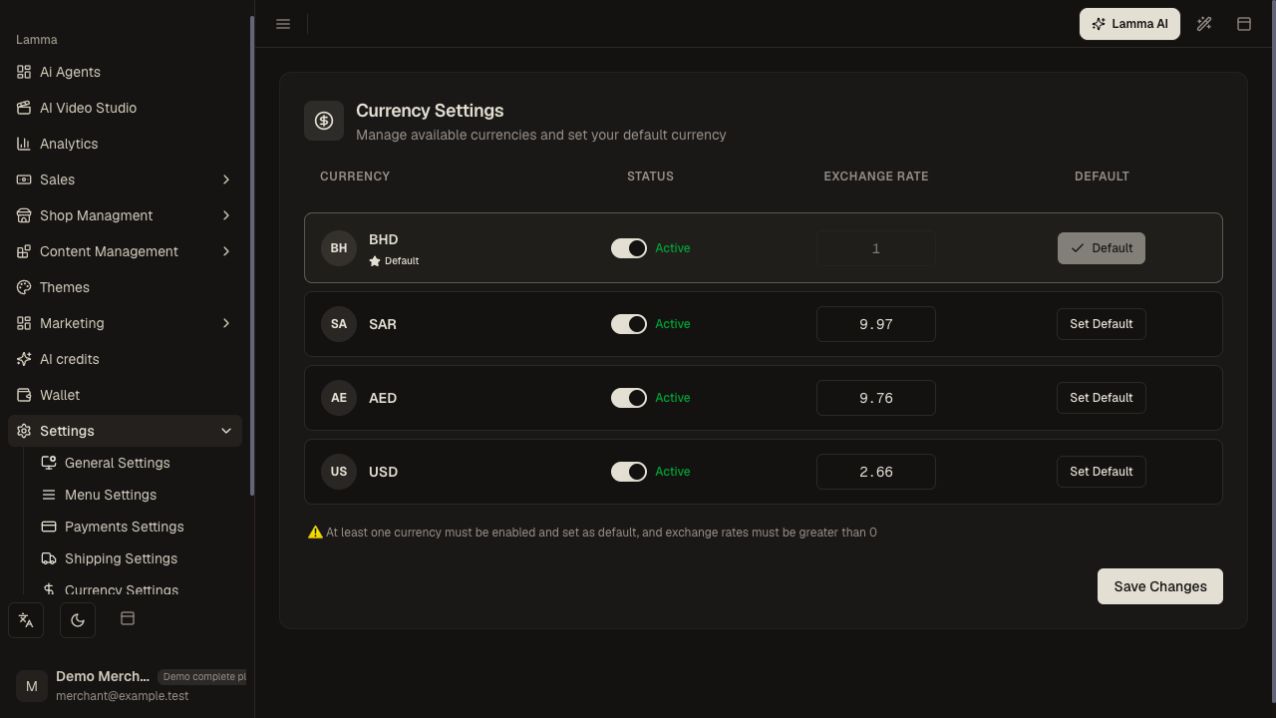
Step 3 — Confirm the main currency and review the enabled currencies and conversion settings before saving.Demonstration store · sample data. Available features may differ by plan or rollout.View full-size screenshot ↗ Select each enabled currency on the storefront.
Check a product, shipping charge, discount and checkout total.
Confirm that the gateway offers a compatible payment option for the selected transaction currency.
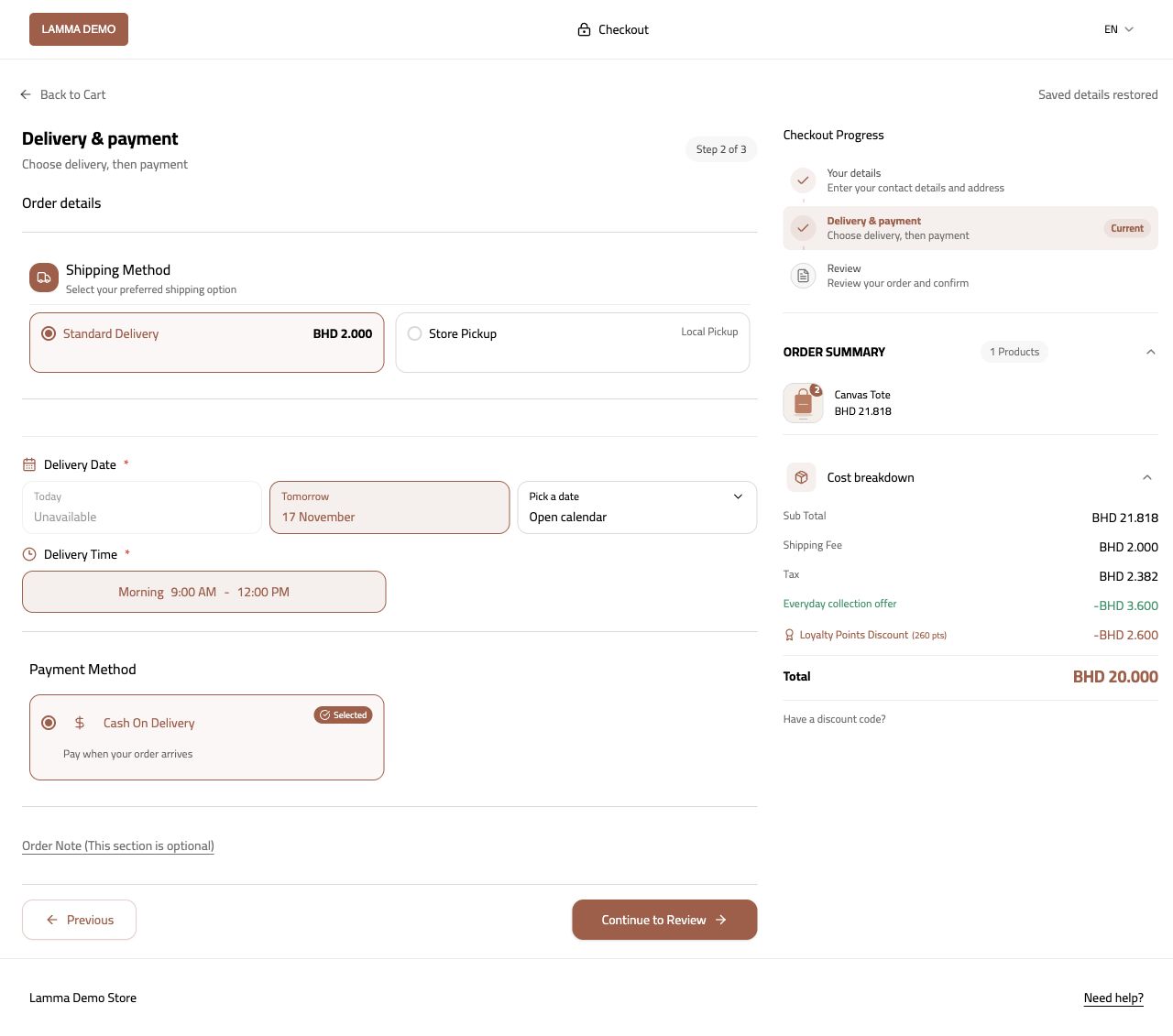
Step 6 — Check that the selected transaction currency has a compatible payment option and correct total.Demonstration store · sample data. Available features may differ by plan or rollout.View full-size screenshot ↗
What to check afterward
Shoppers can use the enabled currency choices and see consistent checkout totals.
If something does not work
Changing the display currency does not guarantee every gateway accepts that currency. Compare reports in their stated currency instead of adding mixed-currency amounts directly.
Still need help? Contact Lamma support with your store, the affected record and the exact error. Keep passwords and API keys private.