
Enable a payment gateway
Connect an available payment provider and verify checkout payment results.
Access depends on your current plan, permissions and store configuration.
Before you start
Have an approved merchant account and credentials for the provider you want to use.
Open the relevant dashboard screen ↗Steps
Open Payment Settings and review the gateway cards available to your store.
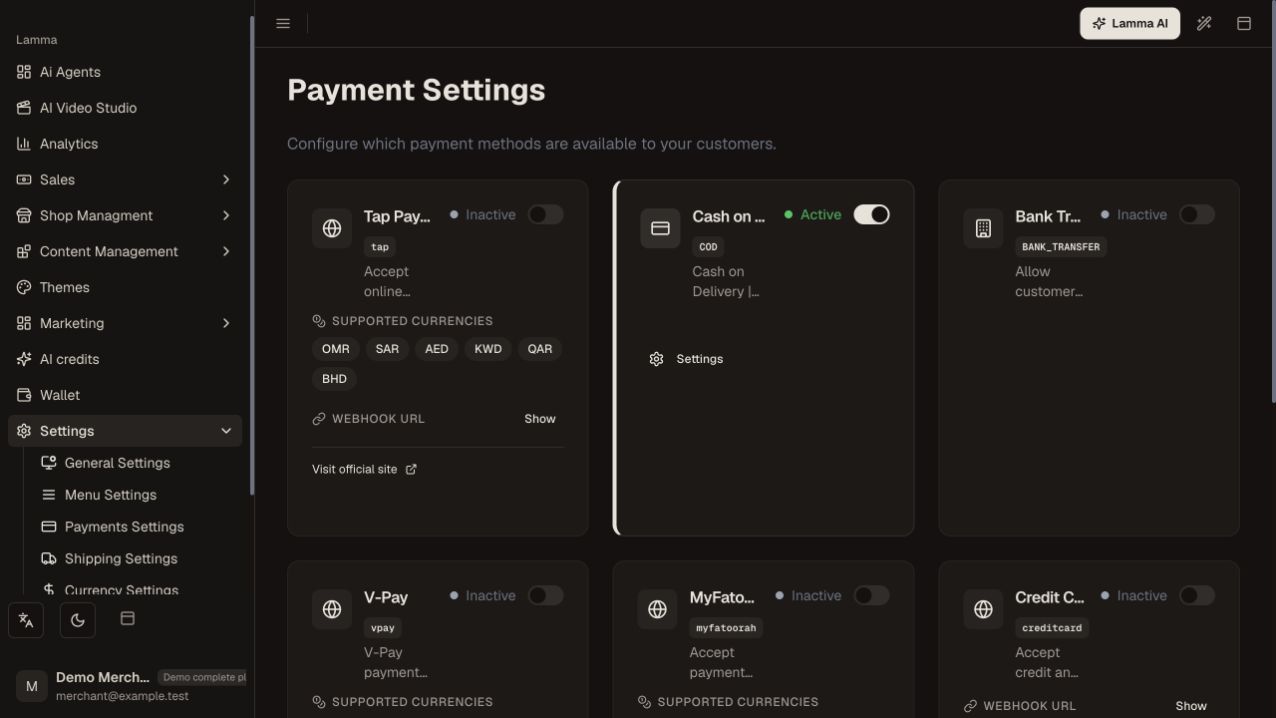
Step 1 — Review the payment-provider cards and active states; this demo shows Cash on Delivery active and external gateways inactive.Demonstration store · sample data. Available features may differ by plan or rollout.View full-size screenshot ↗ Choose the provider and enter its required credentials in the protected form.
Match test or live credentials to the intended environment and save/activate.
Check the currencies and payment methods actually offered at your storefront checkout.
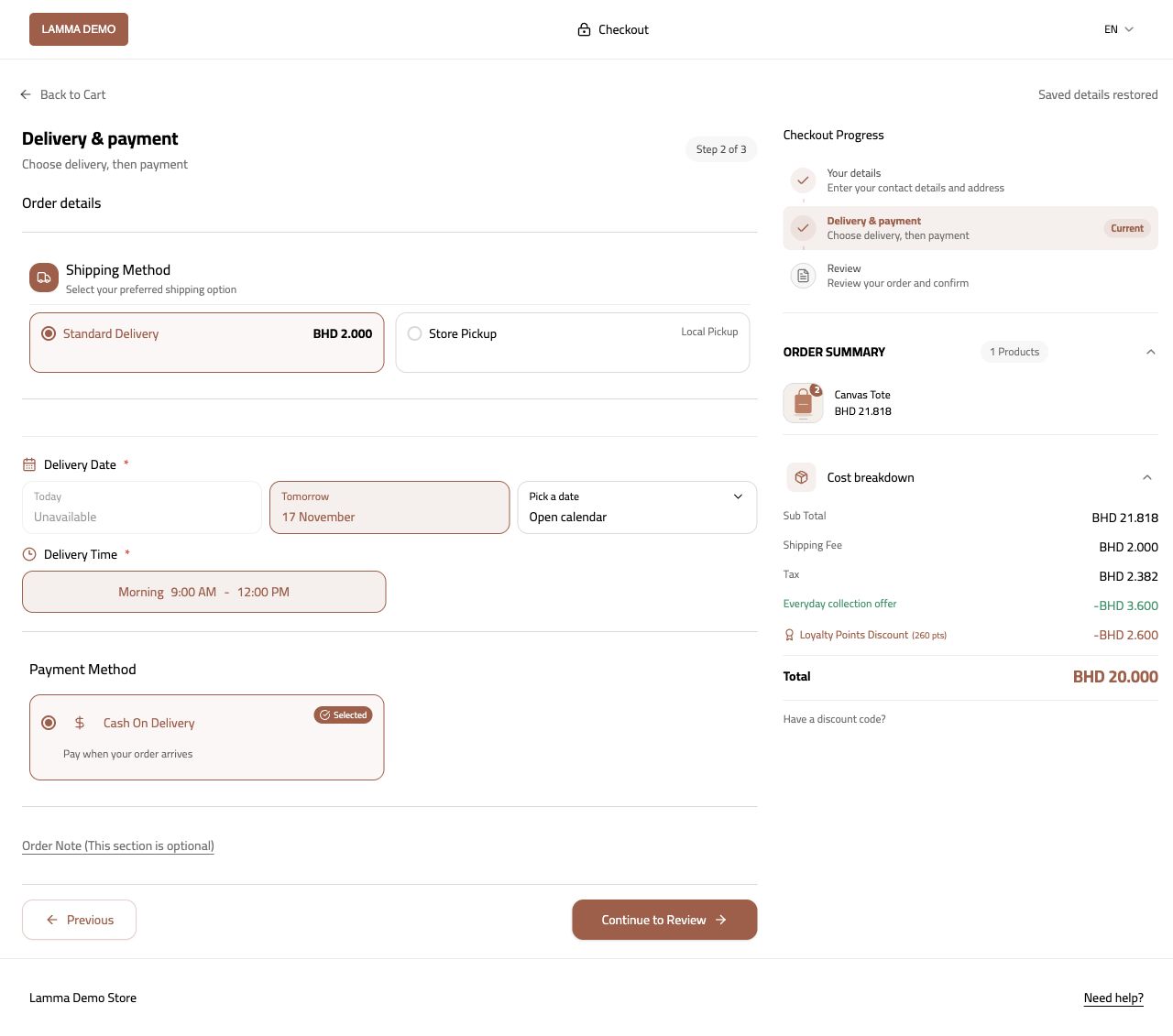
Step 4 — Verify which configured payment methods are actually offered for the checkout currency.Demonstration store · sample data. Available features may differ by plan or rollout.View full-size screenshot ↗ Complete an authorized test transaction and confirm the payment and order states.
Use the provider dashboard to verify settlement or refund activity.
What to check afterward
Eligible checkout orders can use the configured provider and return a recorded payment result.
If something does not work
The platform has integration paths for Tap, VPay, MyFatoorah, MPGS, Benefit, AFS, Tabby, Thawani and Sadad. Availability depends on enablement, currency and provider approval. Some direct gateways require support to grant the add-on.
Still need help? Contact Lamma support with your store, the affected record and the exact error. Keep passwords and API keys private.