
Set up shipping zones and rates
Offer delivery only to the locations and conditions you can serve.
Access depends on your current plan, permissions and store configuration.
Before you start
List your destinations, delivery charges and free-shipping conditions.
Open the relevant dashboard screen ↗Steps
Open Checkout & delivery and the shipping editor.
Create or edit a zone with the intended countries and supported subdivisions.
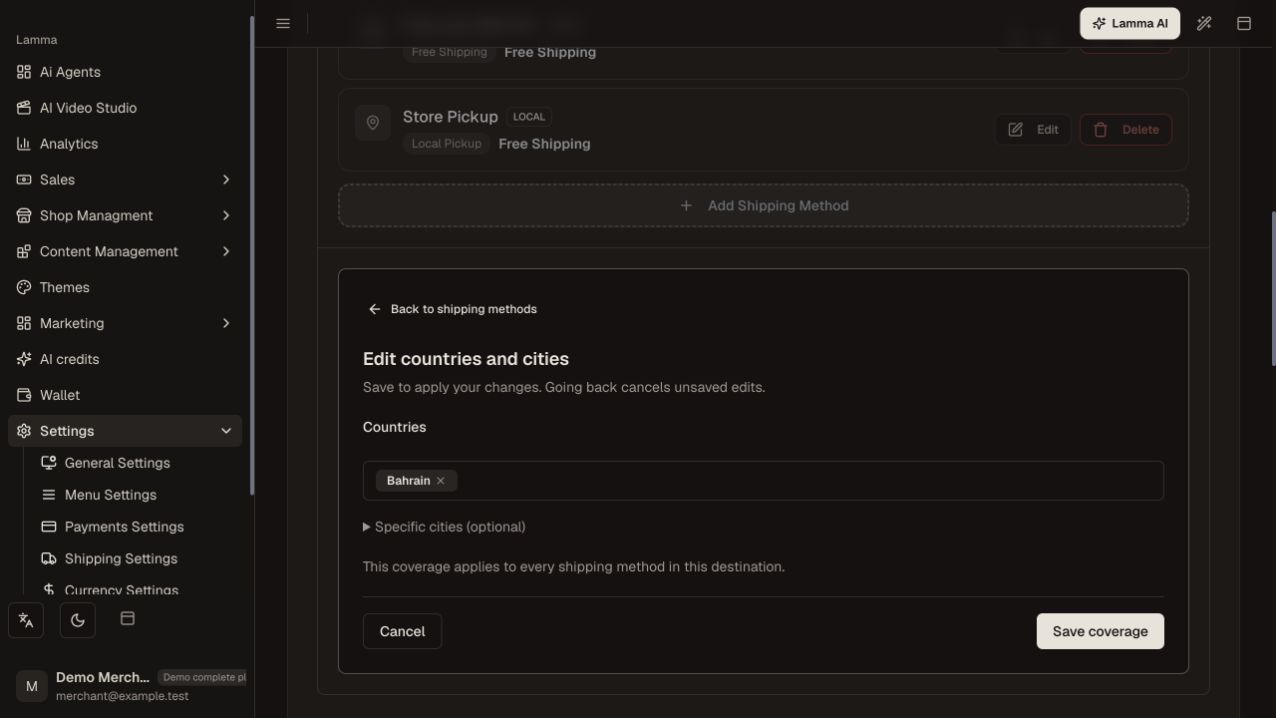
Step 2 — Choose the covered countries and optional cities, then save the zone coverage.Demonstration store · sample data. Available features may differ by plan or rollout.View full-size screenshot ↗ Add a manual or integrated delivery method to that zone.
Set its price and the conditions offered, such as order thresholds, exclusions or provider settings.
Save the method and zone, then test customer addresses inside and outside coverage.
Check the checkout shipping charge and method recorded on a test order.
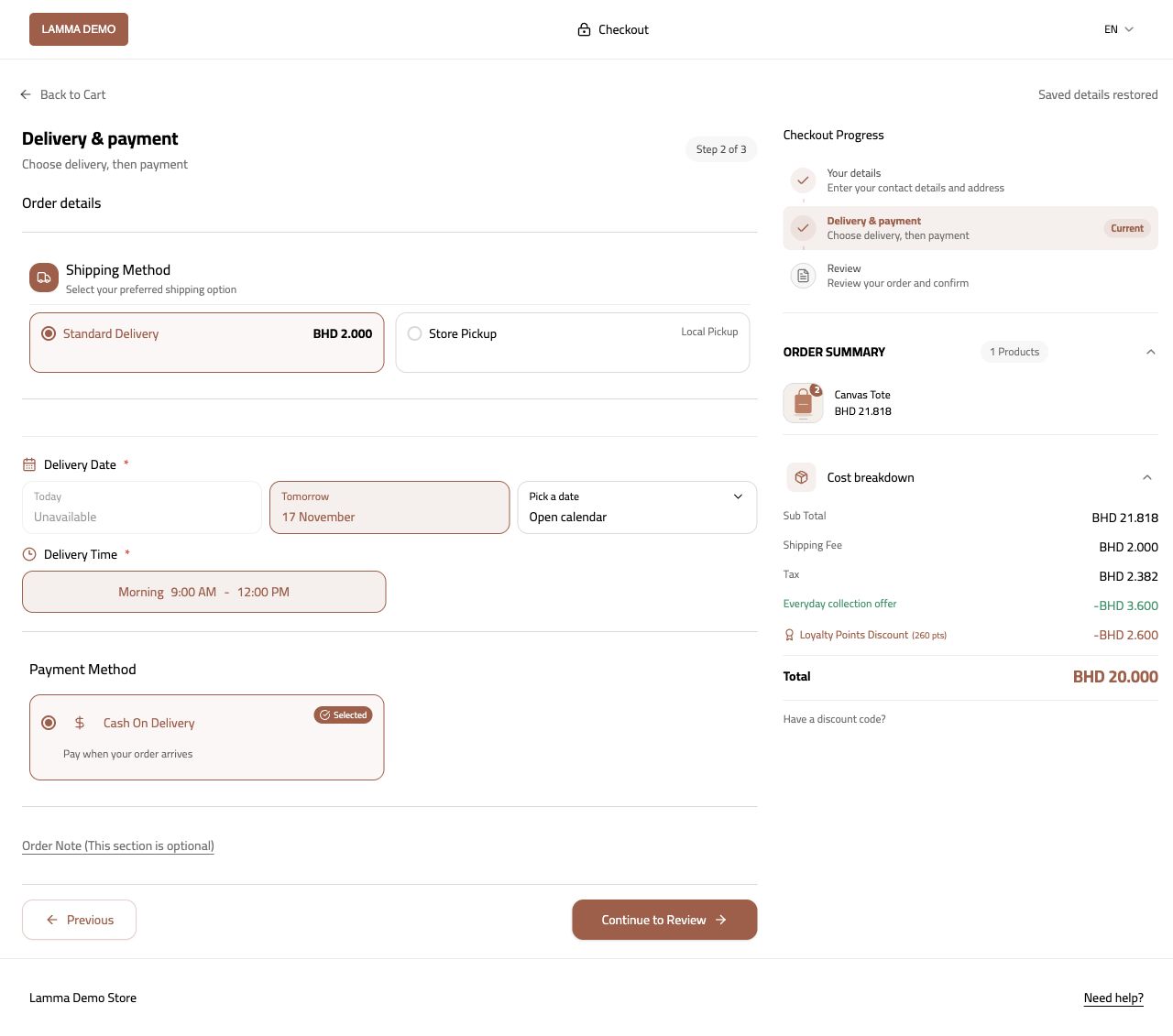
Step 6 — Verify that the covered address receives the intended shipping method and charge.Demonstration store · sample data. Available features may differ by plan or rollout.View full-size screenshot ↗
What to check afterward
Eligible customers receive the intended shipping methods and rates.
If something does not work
Overlapping zones, disabled methods and unsupported subdivisions can affect availability. A storefront delivery charge and a courier shipment purchase are separate amounts.
Still need help? Contact Lamma support with your store, the affected record and the exact error. Keep passwords and API keys private.