
Use the setup launchpad and progress checklist
Track the setup tasks that prepare your store for launch.
Access depends on your current plan, permissions and store configuration.
Before you start
Sign in with the store you are preparing to launch.
Open the relevant dashboard screen ↗Steps
Open the dashboard and review the available setup or launchpad checklist.
Open a task and complete its underlying product, branding, payment or shipping setup.
Return and review its completion state.
Use the AI specialist for the task when you want guided help.
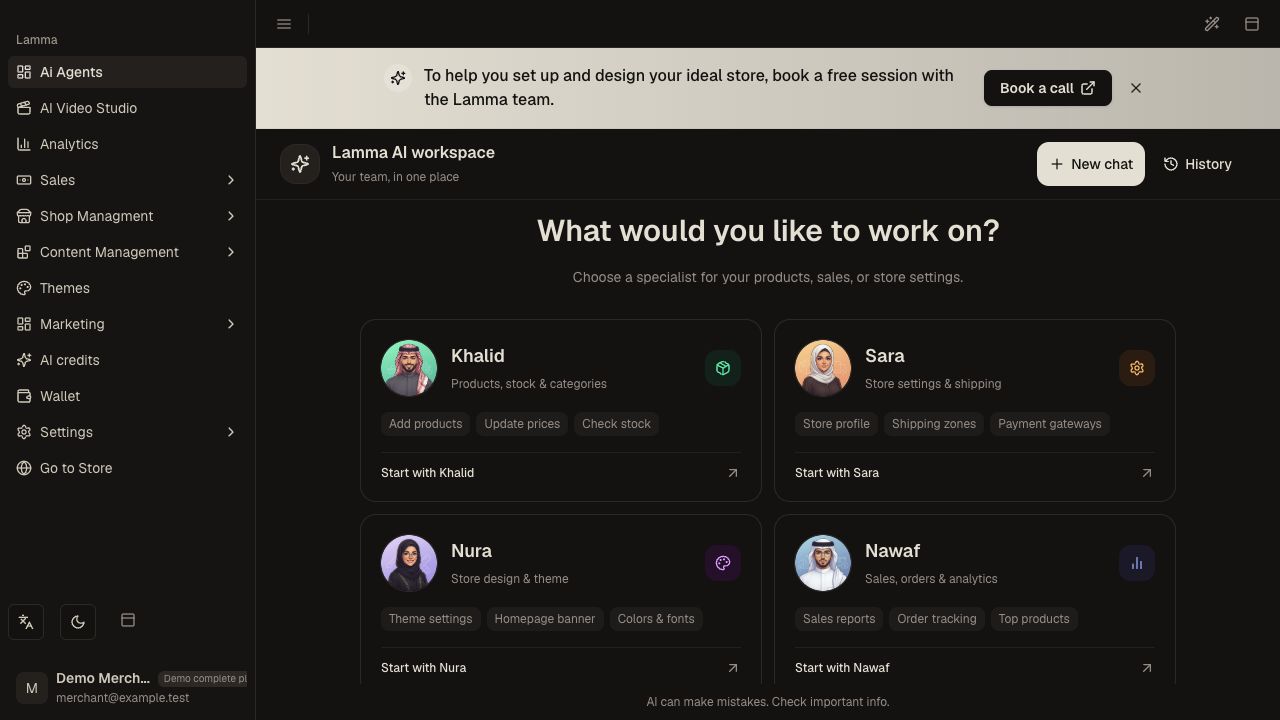
Step 4 — Choose a specialist from the current AI dashboard for guided setup; the older checklist is disabled in this build.Demonstration store · sample data. Available features may differ by plan or rollout.View full-size screenshot ↗ Before using a launch action, complete the actual storefront and checkout checks.
Dismiss setup prompts only when you no longer need them; a hidden prompt does not complete its setup work.
What to check afterward
You can see setup progress and identify the next incomplete step.
If something does not work
Progress indicators and rewards are not evidence that a payment gateway, courier or domain works. Verify those services independently with the launch checklist.
Still need help? Contact Lamma support with your store, the affected record and the exact error. Keep passwords and API keys private.