
Connect Odoo
Configure the Odoo connection and verify catalog and order synchronization.
Access depends on your current plan, permissions and store configuration.
Before you start
Have an authorized Odoo database/account and activate the integration add-on.
Open the relevant dashboard screen ↗Steps
Open Odoo management and enter the base URL, database, account and API key required by the form.
Save and test the connection.
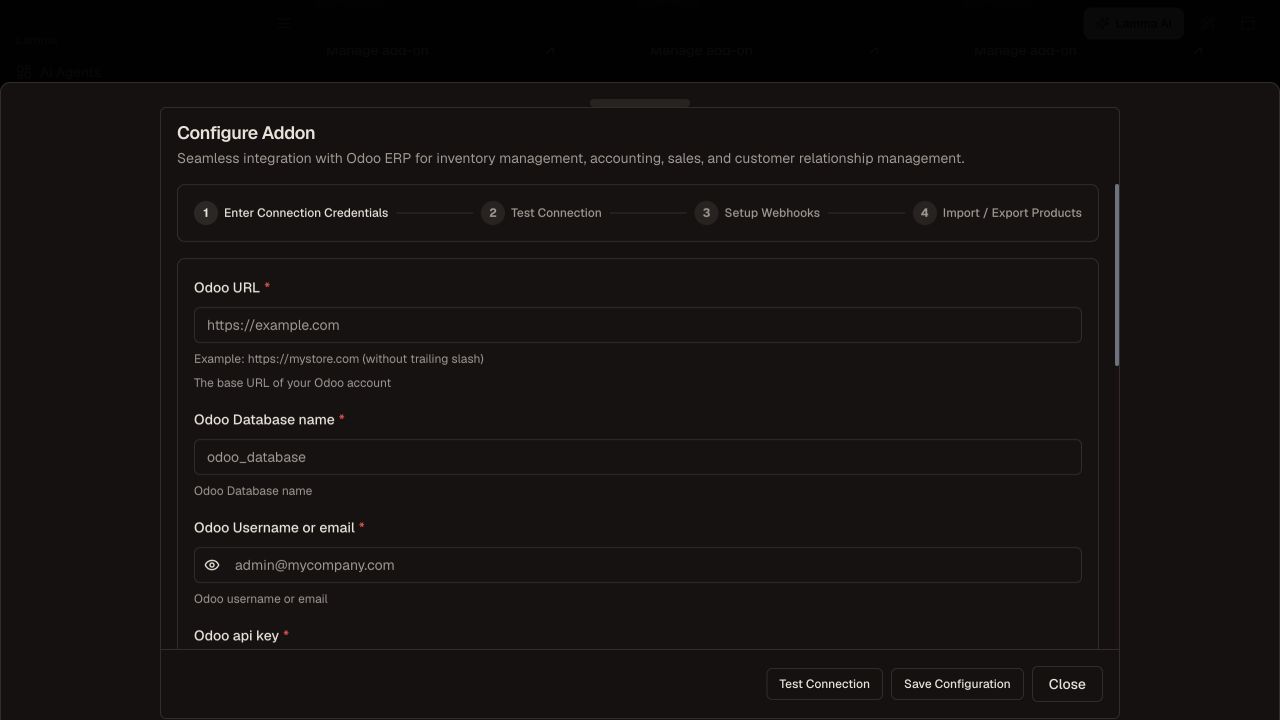
Step 2 — Set the Odoo URL, database and account, then save and test the connection.Demonstration store · sample data. Available features may differ by plan or rollout.View full-size screenshot ↗ Review company, tax or other mapping options returned for your account.
Use the automation/webhook setup controls offered; keep their credentials private.
Start a small import or export, monitor progress and inspect the resulting product.
Verify an authorized order and stock change end to end before relying on automated sync.
What to check afterward
The connection and selected synchronization path have an observable result in both systems.
If something does not work
A passing connection test only proves account access. It does not prove webhook delivery, order posting or every field mapping. Decide which system owns catalog changes before editing linked products.
Still need help? Contact Lamma support with your store, the affected record and the exact error. Keep passwords and API keys private.