
Find and manage orders
Review an order and move it through your fulfillment workflow.
Access depends on your current plan, permissions and store configuration.
Before you start
Check the payment and delivery method before processing an order.
Open the relevant dashboard screen ↗Steps
Open Sales → Orders and filter or search for the order.
Open its details and review items, selected variants, personalization, fabric choices, customer contact and delivery address.
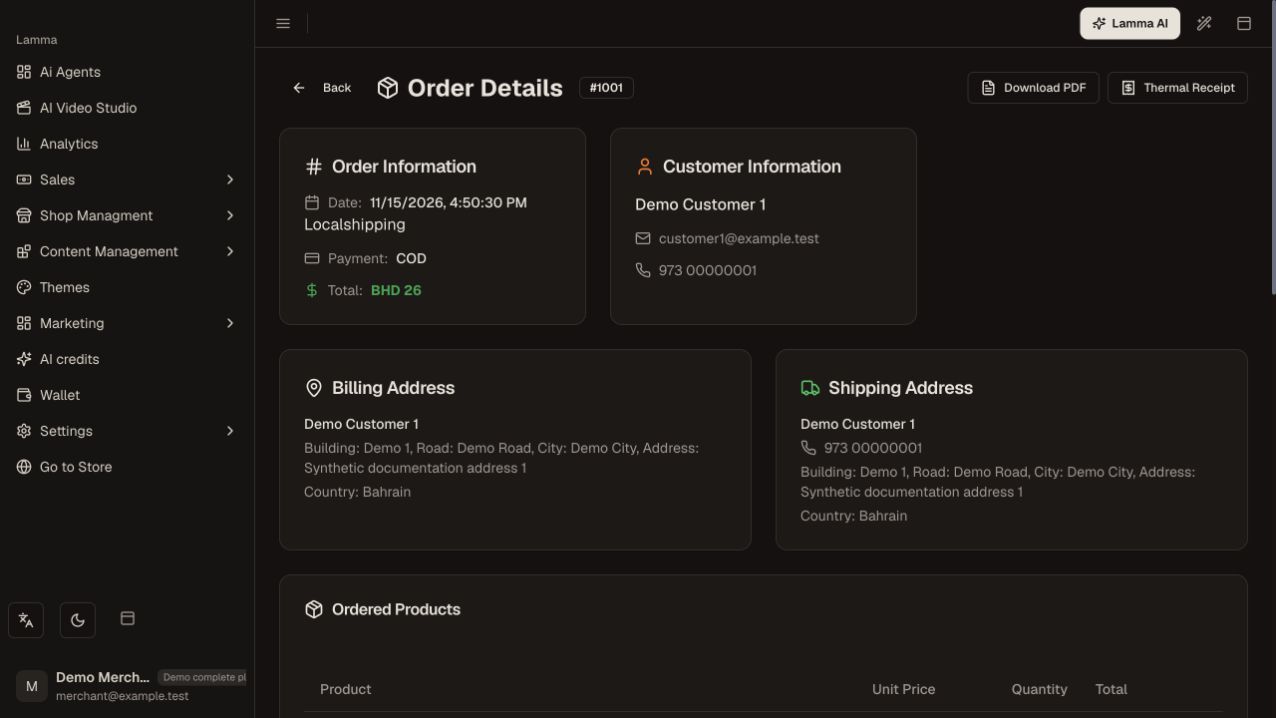
Step 2 — Review the customer information, billing and shipping addresses, payment method and order total.Demonstration store · sample data. Available features may differ by plan or rollout.View full-size screenshot ↗ Check payment information separately from the fulfillment status.
Use the offered status action for the business event that actually occurred. Review the selected list before using bulk updates.
Create a shipment or prepare the pickup as appropriate.
Open the order again to verify the new status and keep its invoice or receipt for the customer.
What to check afterward
The order record reflects the actual preparation and fulfillment progress.
If something does not work
Changing an order status does not by itself establish a bank settlement or a refund. If a customer paid but the order looks pending, check the payment record before asking them to pay again.
Still need help? Contact Lamma support with your store, the affected record and the exact error. Keep passwords and API keys private.