
Use the Facebook product catalog feed
Provide the store product feed to an external catalog setup.
Access depends on your current plan, permissions and store configuration.
Before you start
Use your actual storefront domain and a provider catalog account you control.
Steps
Open your storefront domain followed by /feeds/facebook.xml.
Check that the XML loads and includes the intended eligible products.
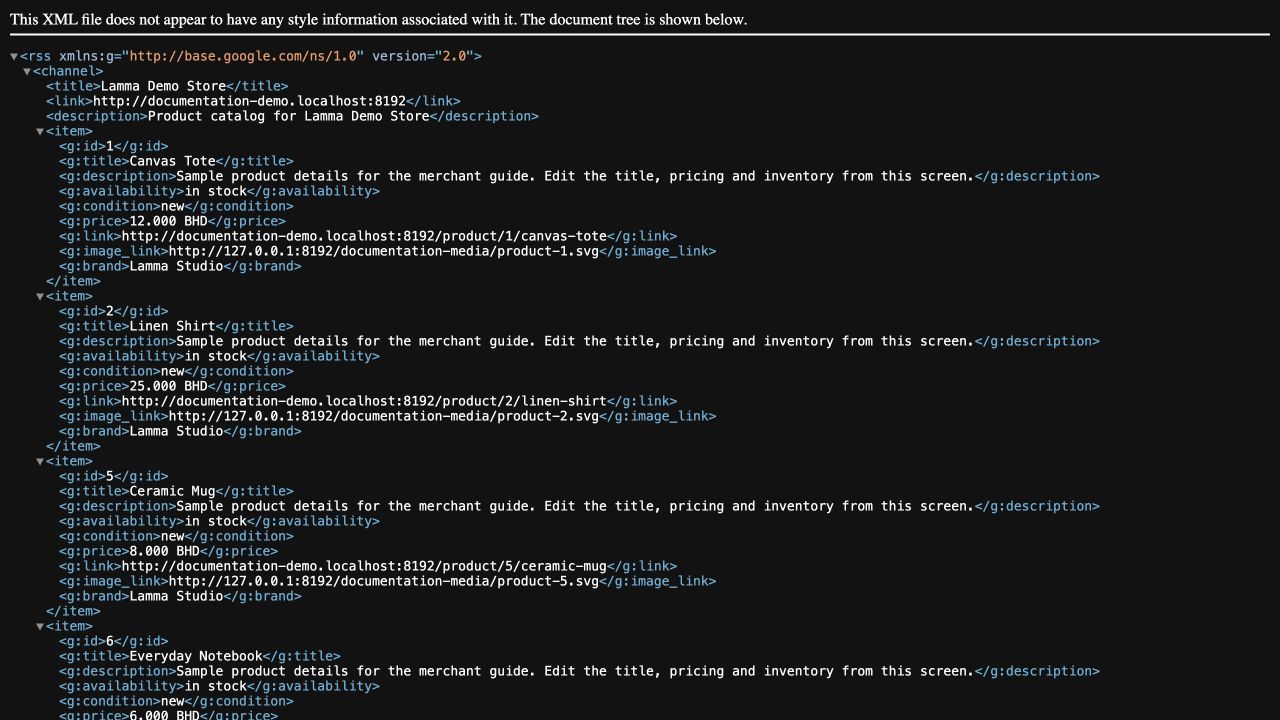
Step 2 — Open the storefront feed and check eligible product IDs, prices, image links and availability.Demonstration store · sample data. Available features may differ by plan or rollout.View full-size screenshot ↗ In your catalog provider, configure a scheduled feed using this storefront feed URL.
Review the provider import diagnostics for price, image and availability issues.
After catalog changes, allow for the provider refresh schedule and verify the affected product again.
What to check afterward
The provider can retrieve the store feed and report its own catalog ingestion result.
If something does not work
Use the storefront domain, not the merchant dashboard domain. Feed availability is different from catalog approval or advertising delivery. Correct the source product if an image, price or availability is wrong.
Still need help? Contact Lamma support with your store, the affected record and the exact error. Keep passwords and API keys private.