
Troubleshoot and contact support
Collect the details needed to resolve a store issue without repeating risky actions.
Access depends on your current plan, permissions and store configuration.
Before you start
Keep the exact error message and the affected store, product or order reference.
Steps
Check that you are in the correct store and your subscription/add-on is active.
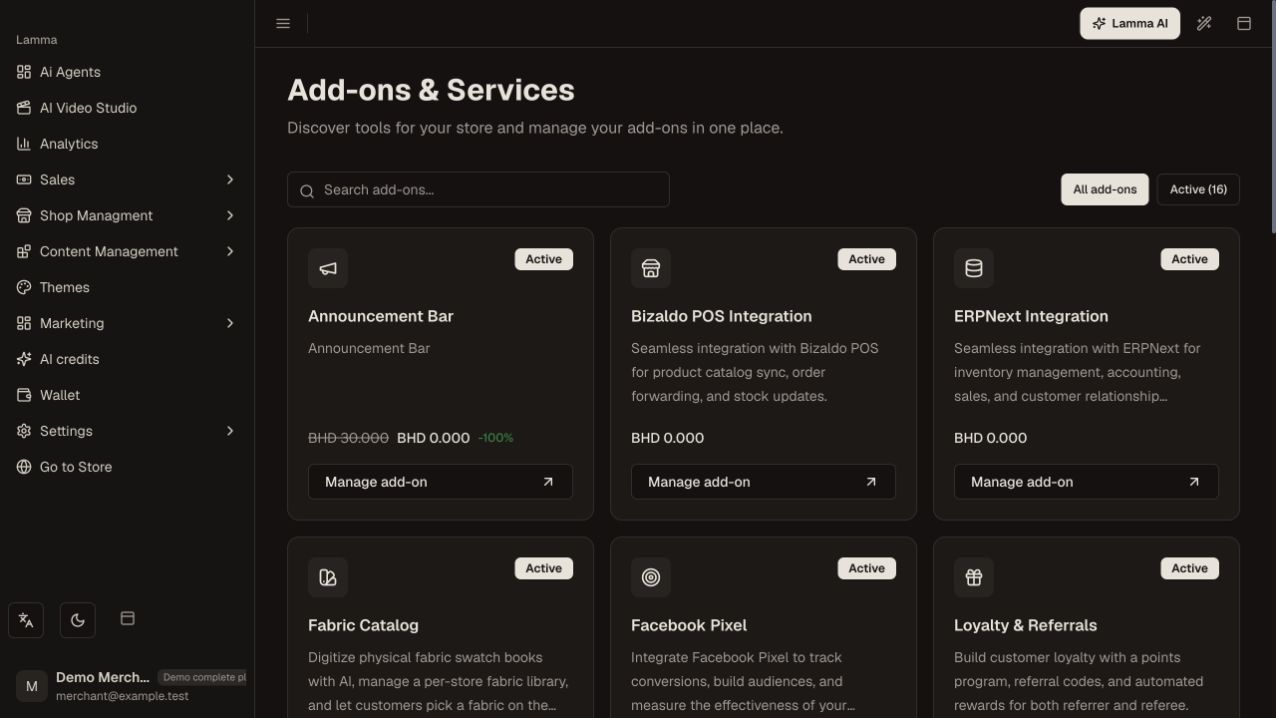
Step 1 — Confirm the correct store and the relevant add-on access before repeating a failed action.Demonstration store · sample data. Available features may differ by plan or rollout.View full-size screenshot ↗ Reload the relevant screen and inspect the saved record, not only its last notification.
For an import, payment, shipment or AI job, check the existing process/reference before starting another.
Reproduce the issue with the smallest affected product or checkout and note the time, device and steps.
Contact Lamma support through the official contact page with those details and a redacted screenshot if useful.
Verify the original customer journey after the issue is resolved.
What to check afterward
Support has a reproducible report and you avoid duplicate payments, shipments or imports.
If something does not work
Do not include passwords, API keys, sign-in links, complete card details or another customer’s private information in a public report.
Still need help? Contact Lamma support with your store, the affected record and the exact error. Keep passwords and API keys private.