
Configure Unipal eligibility offers
Set the Unipal add-on configuration and test the customer eligibility flow.
Access depends on your current plan, permissions and store configuration.
Before you start
Have an enabled Unipal integration and the account settings required by your agreement.
Open the relevant dashboard screen ↗Steps
Find Unipal in Add-ons and open its management controls.
Review and save the configuration fields shown for your store.
Enable the offer only when the configured values are correct.
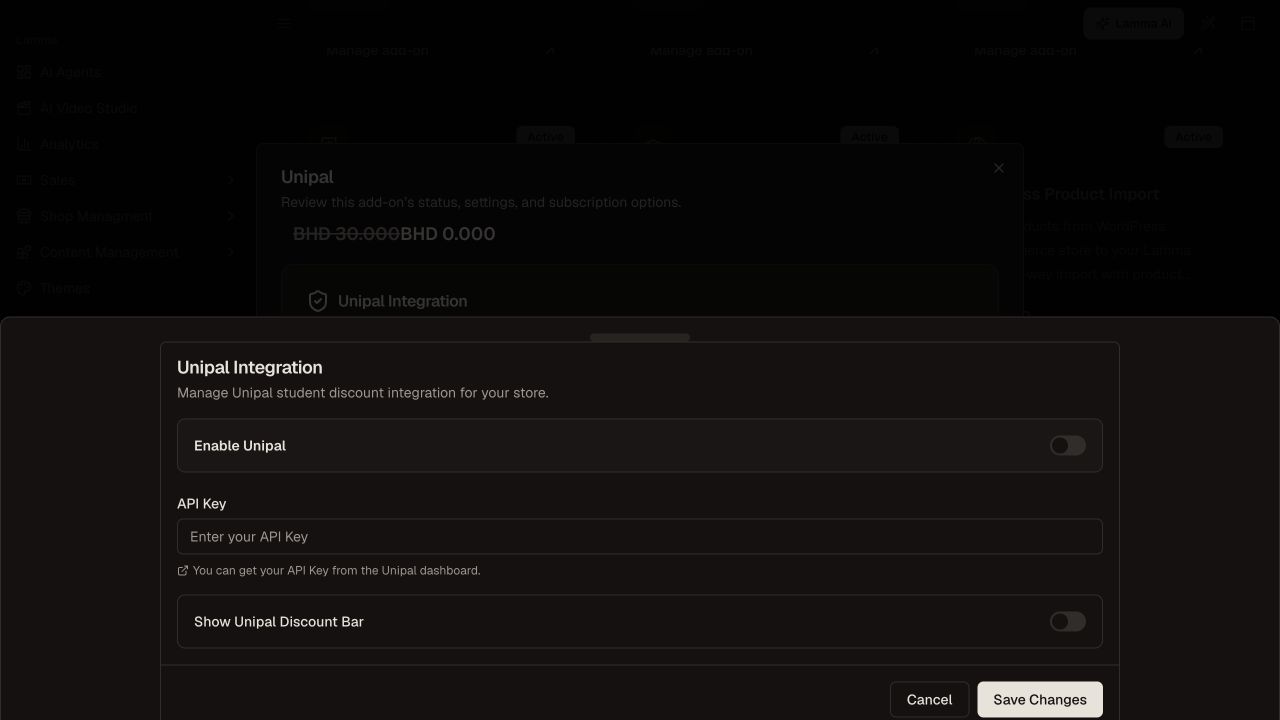
Step 3 — Review the Unipal configuration and enable the offer only after its displayed values are correct.Demonstration store · sample data. Available features may differ by plan or rollout.View full-size screenshot ↗ Follow the eligibility flow on the storefront with authorized test details.
Check the eligible and ineligible outcomes and the resulting checkout discount before promoting the offer.
What to check afterward
Eligible customers can use the configured Unipal flow when the integration is active.
If something does not work
A successful integration configuration is not a guarantee that every shopper qualifies. Check the eligibility response and offer rules rather than applying an unrelated manual discount.
Still need help? Contact Lamma support with your store, the affected record and the exact error. Keep passwords and API keys private.