
Review your merchant wallet
Inspect wallet balance, funding and recorded transactions.
Access depends on your current plan, permissions and store configuration.
Before you start
Verify you are viewing the correct store and the currency shown.
Open the relevant dashboard screen ↗Steps
Open Wallet and inspect the current balance and transaction history.
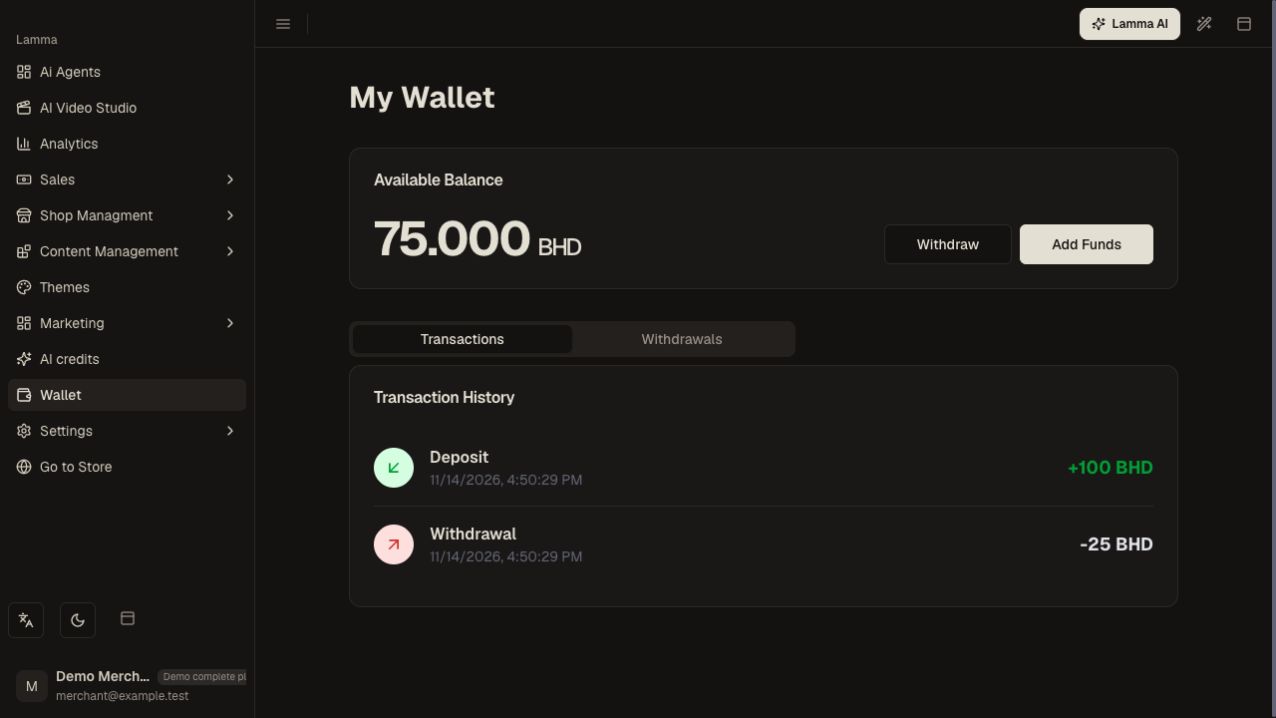
Step 1 — Compare the wallet balance with the recorded deposit and withdrawal amounts in its transaction history.Demonstration store · sample data. Available features may differ by plan or rollout.View full-size screenshot ↗ Use Add Funds when offered and review the requested amount and payment method.
Complete the payment flow once.
Return to the wallet and confirm the recorded funding result.
Compare a disputed transaction with the related payment or shipment reference and provide that reference to support.
What to check afterward
You can reconcile the displayed merchant balance with its transaction records.
If something does not work
A pending funding attempt is not a confirmed wallet credit. The wallet is not the same as general AI credits or customer loyalty rewards. Available uses depend on the enabled service.
Still need help? Contact Lamma support with your store, the affected record and the exact error. Keep passwords and API keys private.